Turn a project plan into a schedule that tells you what's actually driving the finish date.
Build a Work Breakdown Structure, add activities and dependencies, and Estima Schedule generates the Gantt chart and critical path automatically — so you always know which tasks can slip a little, and which ones can't slip at all.
auto-flagged
tracked live
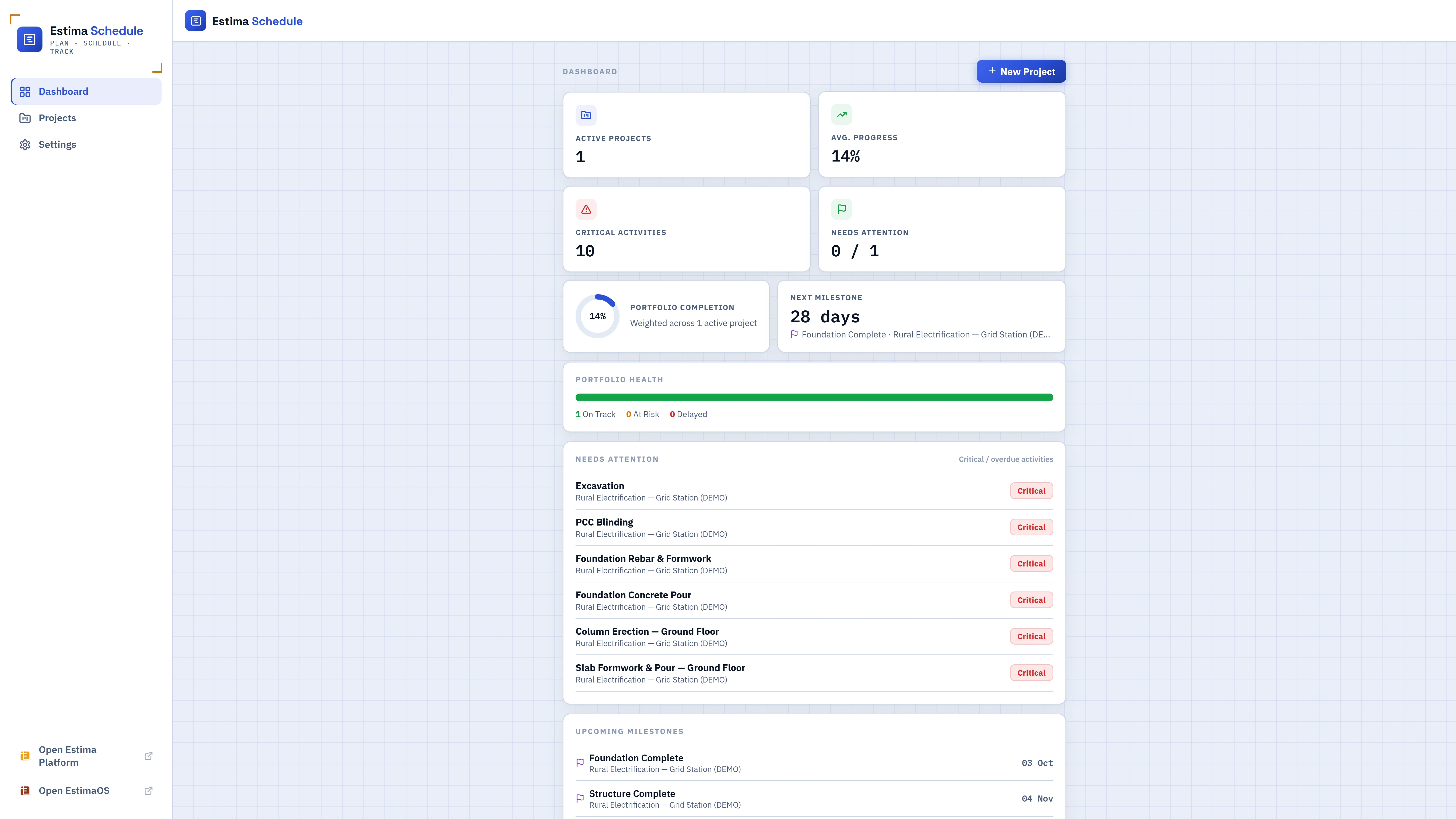
Everything a real schedule needs, nothing it doesn't
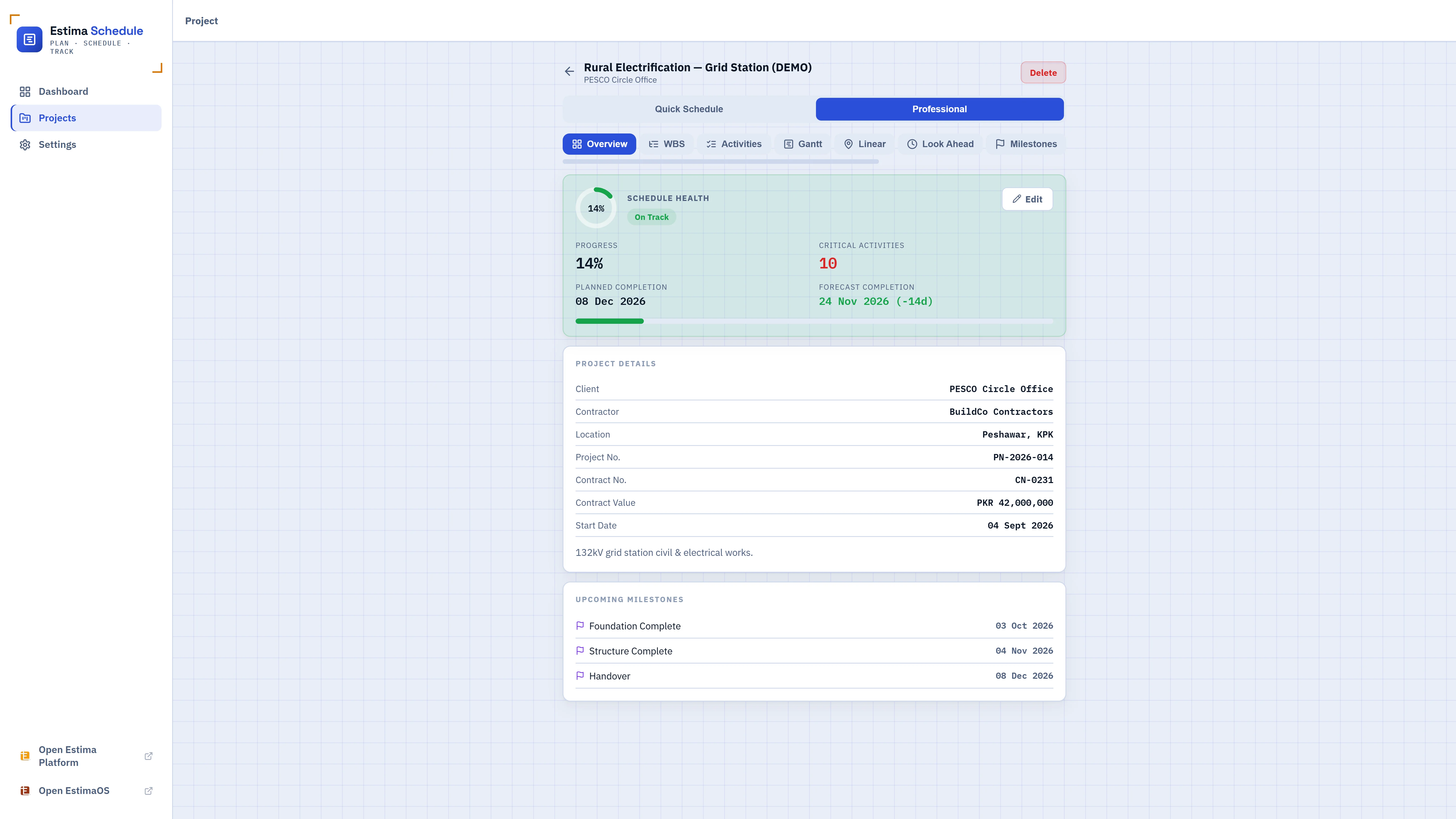
Every screen below is the actual app — no mockups. Add your own activities and it looks like this from day one.
Break the project down, then list what has to happen
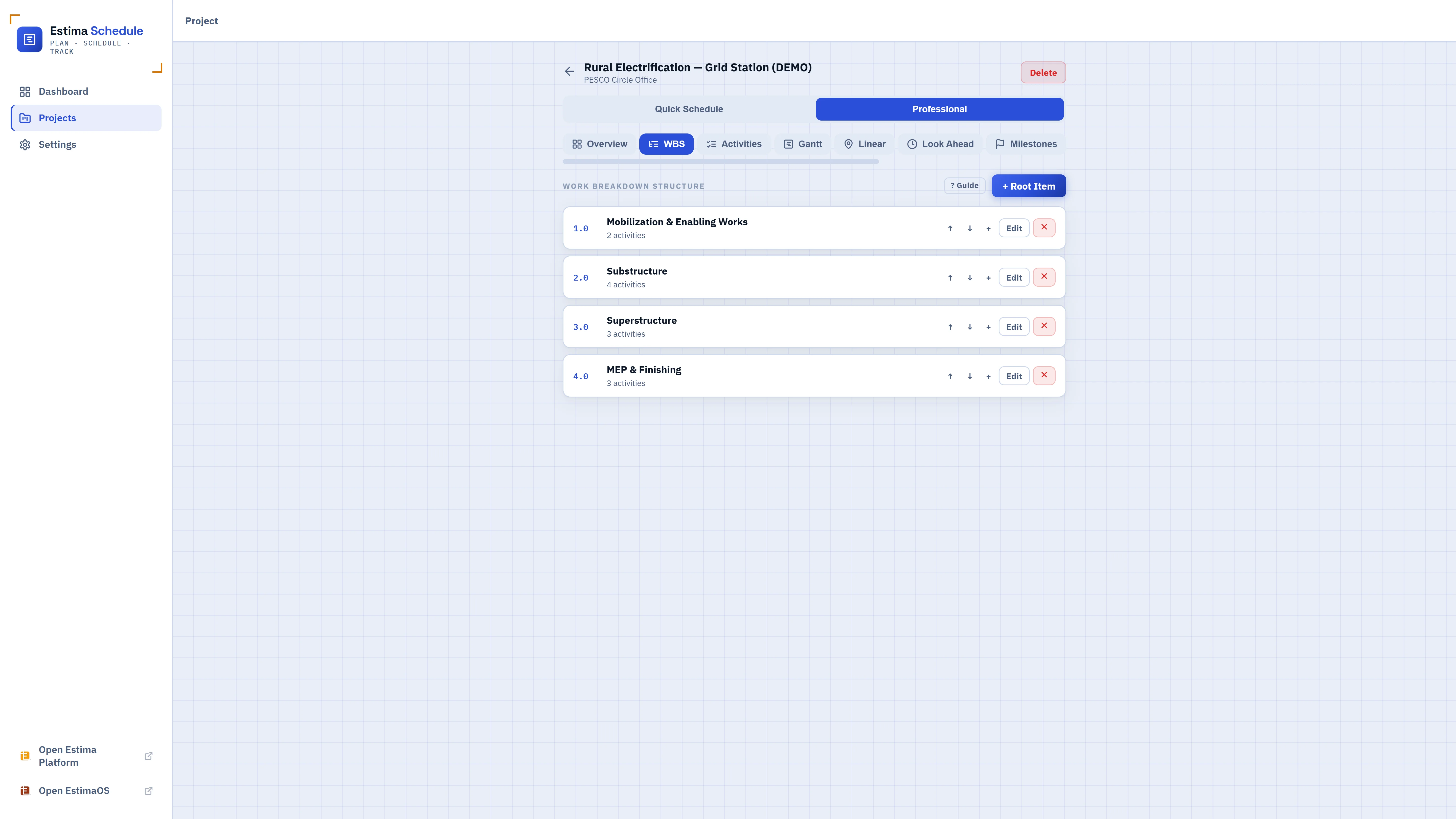
Start with a Work Breakdown Structure — phases or sections with their own codes, like Substructure or MEP & Finishing — then add activities underneath each one: a name, a planned start date, and a duration. Every project can also start from a one-question-at-a-time Quick Schedule mode, then switch to the full professional toolset without losing anything.
- Work Breakdown Structure with codes, nesting, and activity counts per section
- Quick Schedule mode for plain-language planning, no scheduling jargon required
- Import from your Estima estimate — each BOQ line becomes a starter activity, cost pre-filled
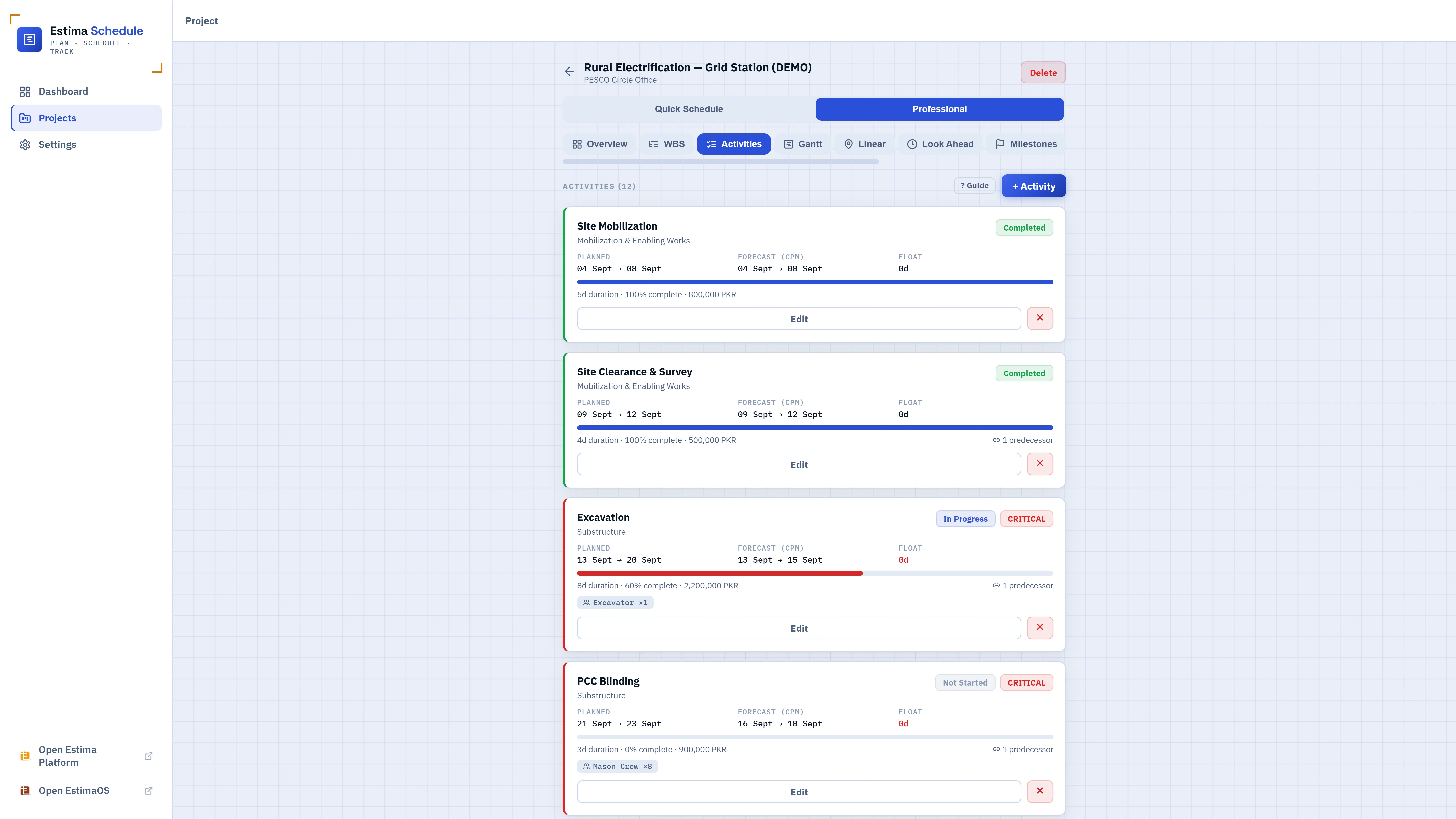
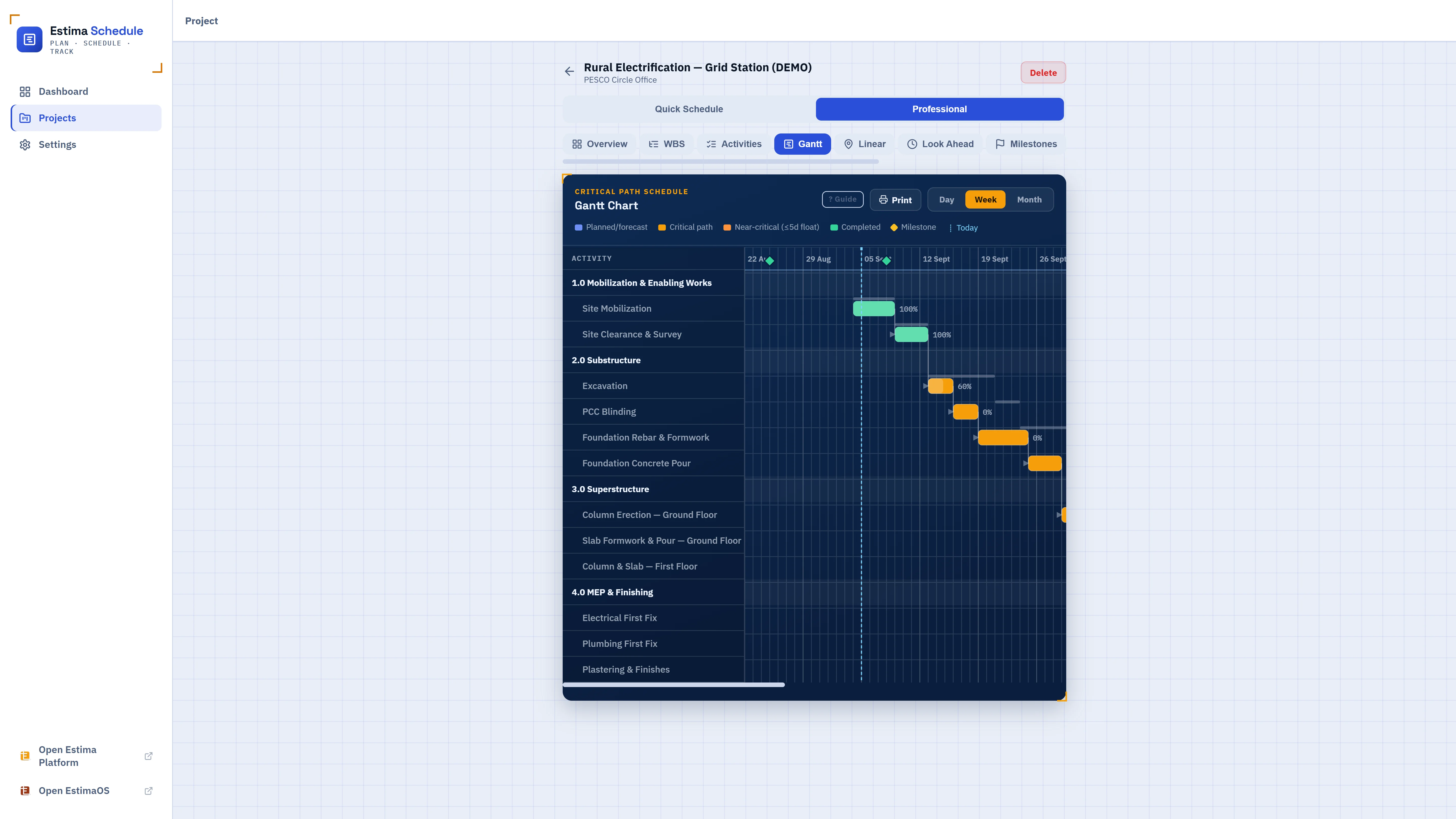
An automatic Gantt chart with the critical path already worked out
Link activities with any of the four standard PDM dependency types, and Estima Schedule runs the Critical Path Method (CPM) forward and backward pass to calculate early/late start and finish dates, total float, and near-critical warnings — then draws it all as a Gantt chart, with milestones and a live today-line.
- Each dependency supports a lag or lead in days, in addition to its type
- Working calendars — mark a weekly off-day and every date respects it
- Redline overlay — see a saved baseline over the current plan, slip marked in red, exactly like a corrected blueprint
Cost loading and real earned value management
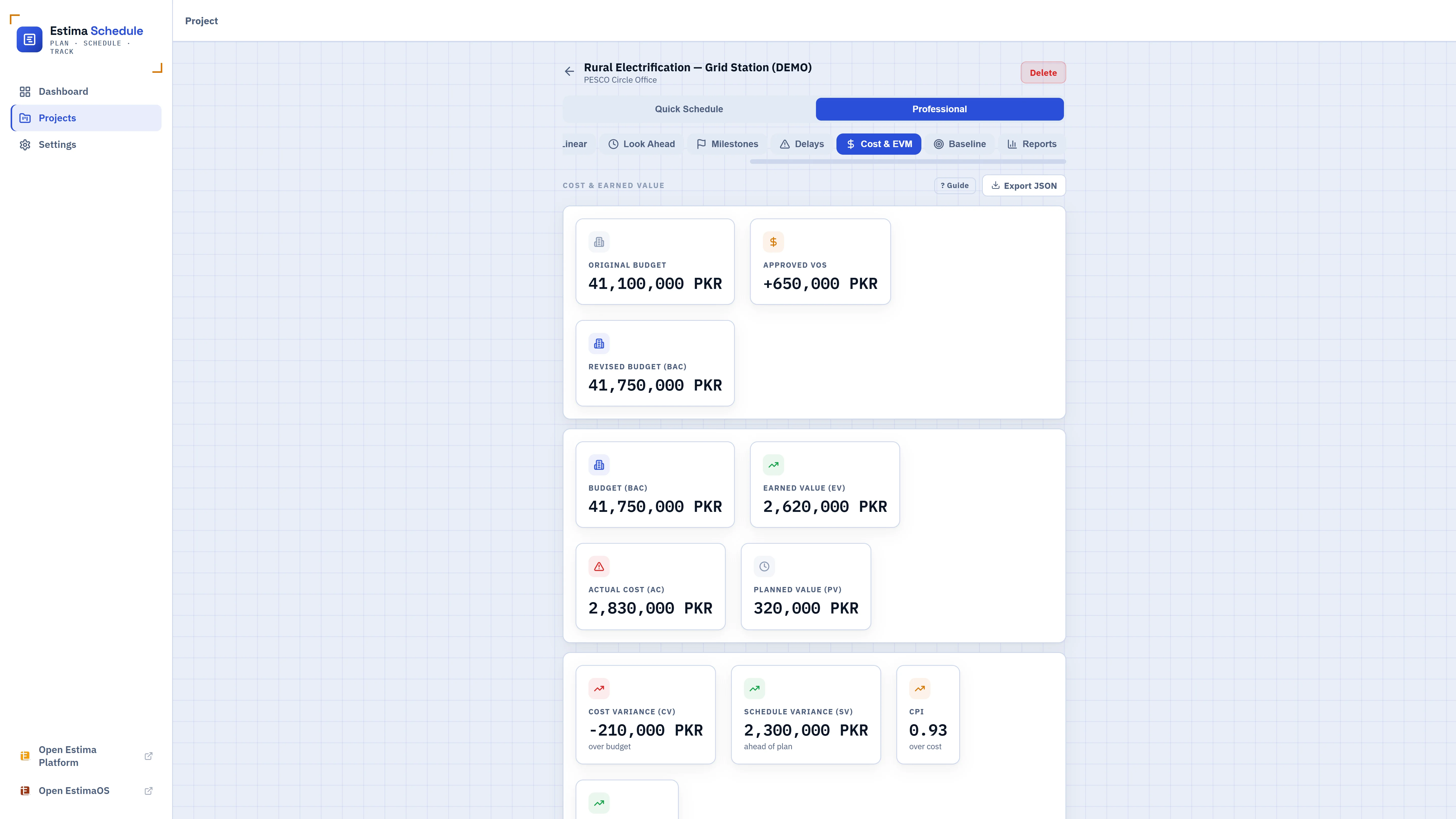
Give any activity a budgeted cost and Estima Schedule turns your schedule into a cost-loaded one: it tracks Planned Value, Earned Value, and Actual Cost, then derives Cost & Schedule Variance, CPI/SPI, and an Estimate at Completion — standard EVM, not a simplified approximation. Approved variation orders move the budget automatically; pending and rejected ones don't.
- PV, EV, AC, CV, SV, CPI, SPI, EAC, ETC, VAC — calculated from progress and actual cost automatically
- Variation order log — approved changes move the Budget at Completion, nothing else does
- Export a clean JSON cost summary to hand off to an accountant
Local-first data, your own letterhead, optional sync
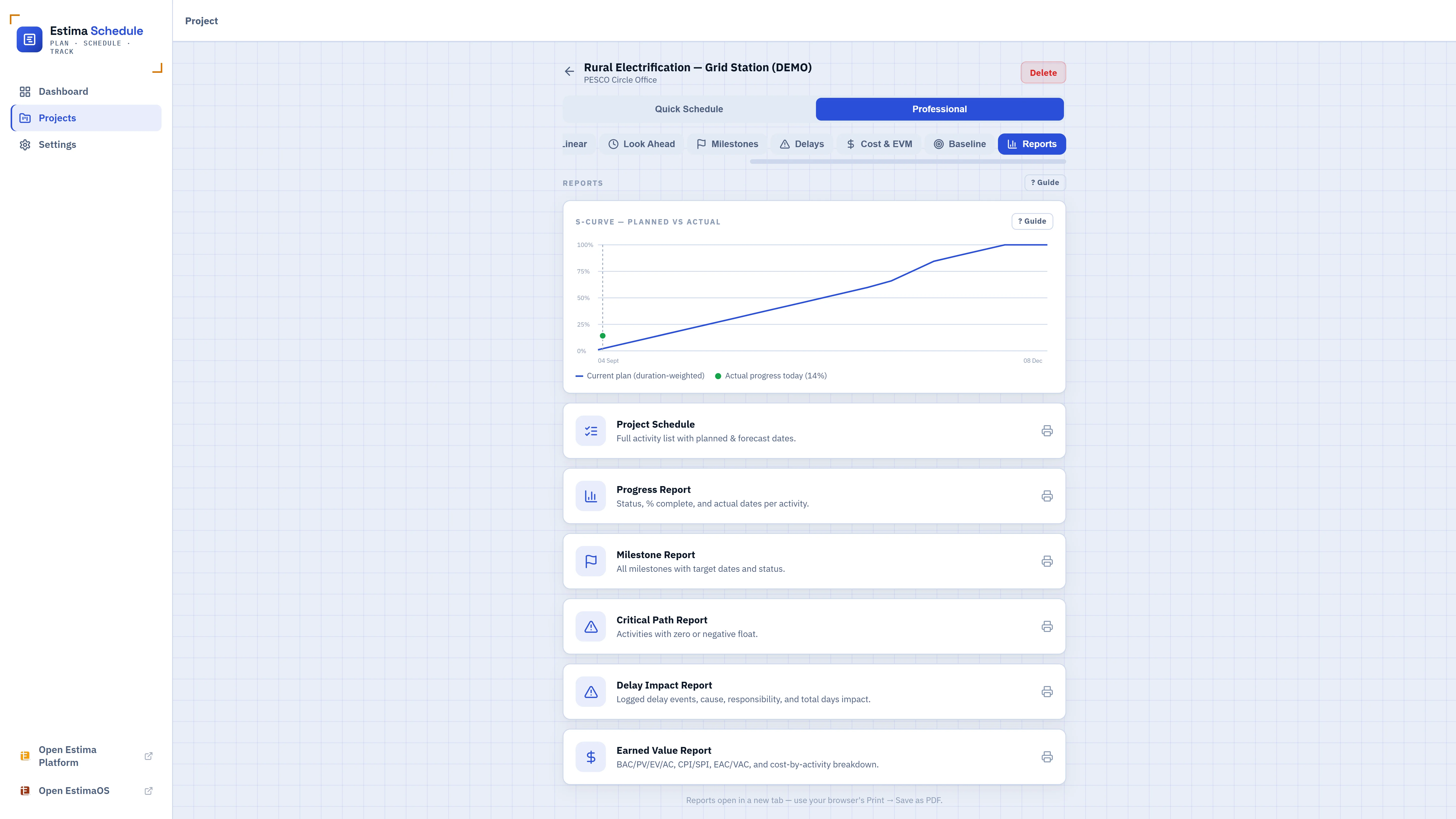
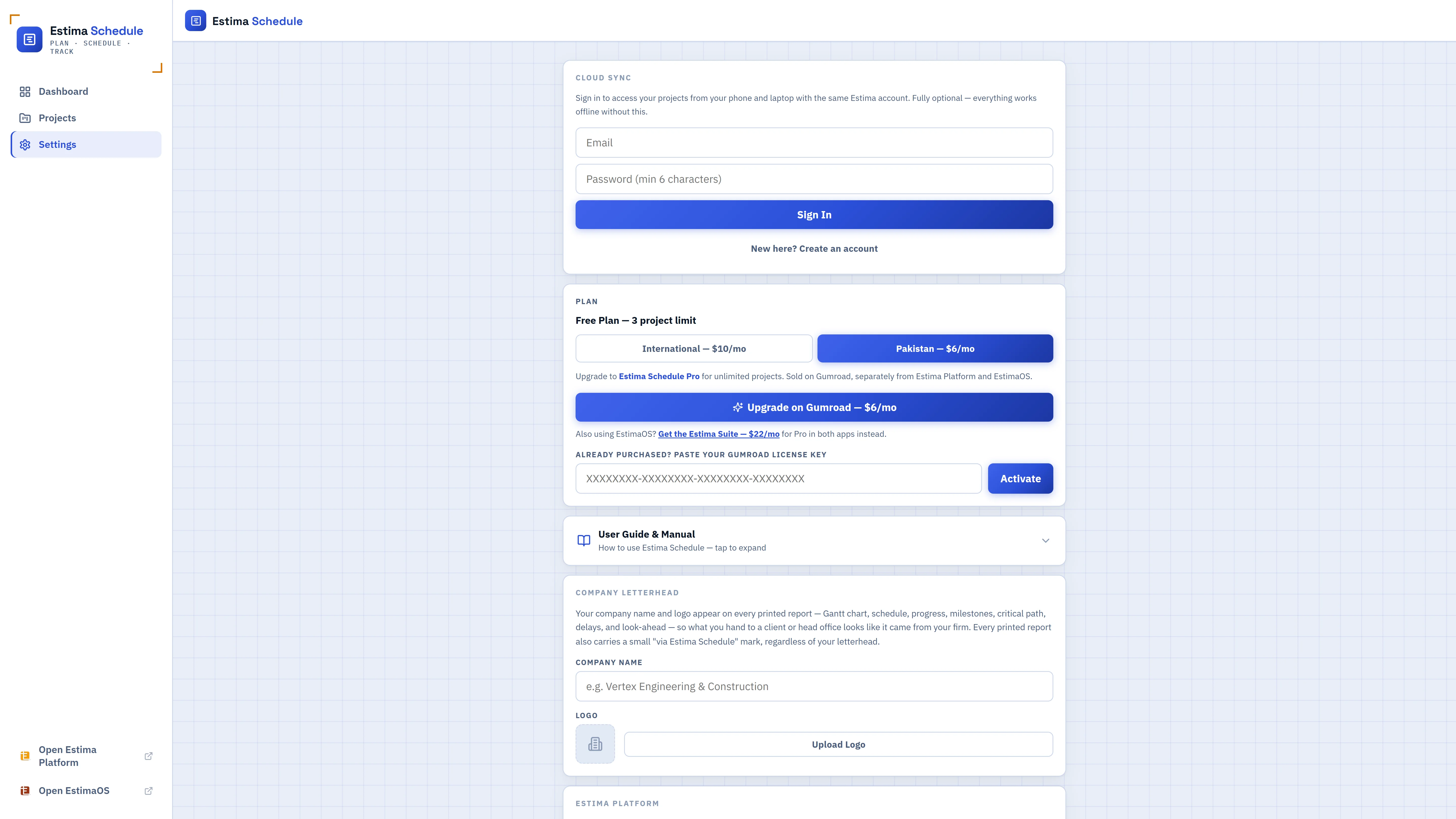
Every project lives on your device first — Estima Schedule works completely offline with no account. Add your company name and logo once, and every printed report — Gantt, schedule, progress, milestones, critical path, delays, look-ahead, earned value — carries a real title block with it. Sign in only if you want the same projects on your phone and your laptop.
- Company letterhead on every printed report, generated as a real PDF-ready document
- Cloud Sync is optional — sign in only if you want it, on your own account
- JSON backup export/import — your data is never locked into the app
Built for how construction actually runs behind schedule
The parts of running a real project that a plain Gantt chart usually leaves out.
Delay event log
A dated record of what actually slowed the project — a late client approval, a weather stoppage, a third-party hold — with who's responsible and how many days it cost. The record to lean on in a variance conversation or an extension-of-time request.
Look-ahead scheduling
A rolling 2–4 week view of what's actually happening soon, grouped by week, with a separate overdue bucket for anything already running late. Print it and carry it into a Monday site meeting.
Resources & working calendars
Assign crews, equipment, or material lines to activities and see the weekly workload — flagged when it goes over a threshold you set. Mark a weekly off-day once and every date in the project respects it.
Multiple named baselines
Save a baseline once the plan is agreed, and another after any formal revision — each stays intact. Compare "behind the original contract commitment" against "behind the revised plan" as two different, honest claims.
Linear / time-chainage schedule
For route-based work — pole erection, conductor stringing, road or pipeline chainage — a Gantt bar only tells you "when." Give an activity a start and end location and it plots on a time-chainage diagram, showing exactly where progress has actually reached.
Variation order tracking
Log scope and budget changes with a reference number, description, and status. Only approved variation orders adjust the Budget at Completion your earned value numbers are measured against — pending and rejected ones stay visible without inflating anything.
From a blank project to a working schedule
No installation, no template to learn — the app guides the first pass, and the WBS/CPM tools are there when you need them.
Create a project
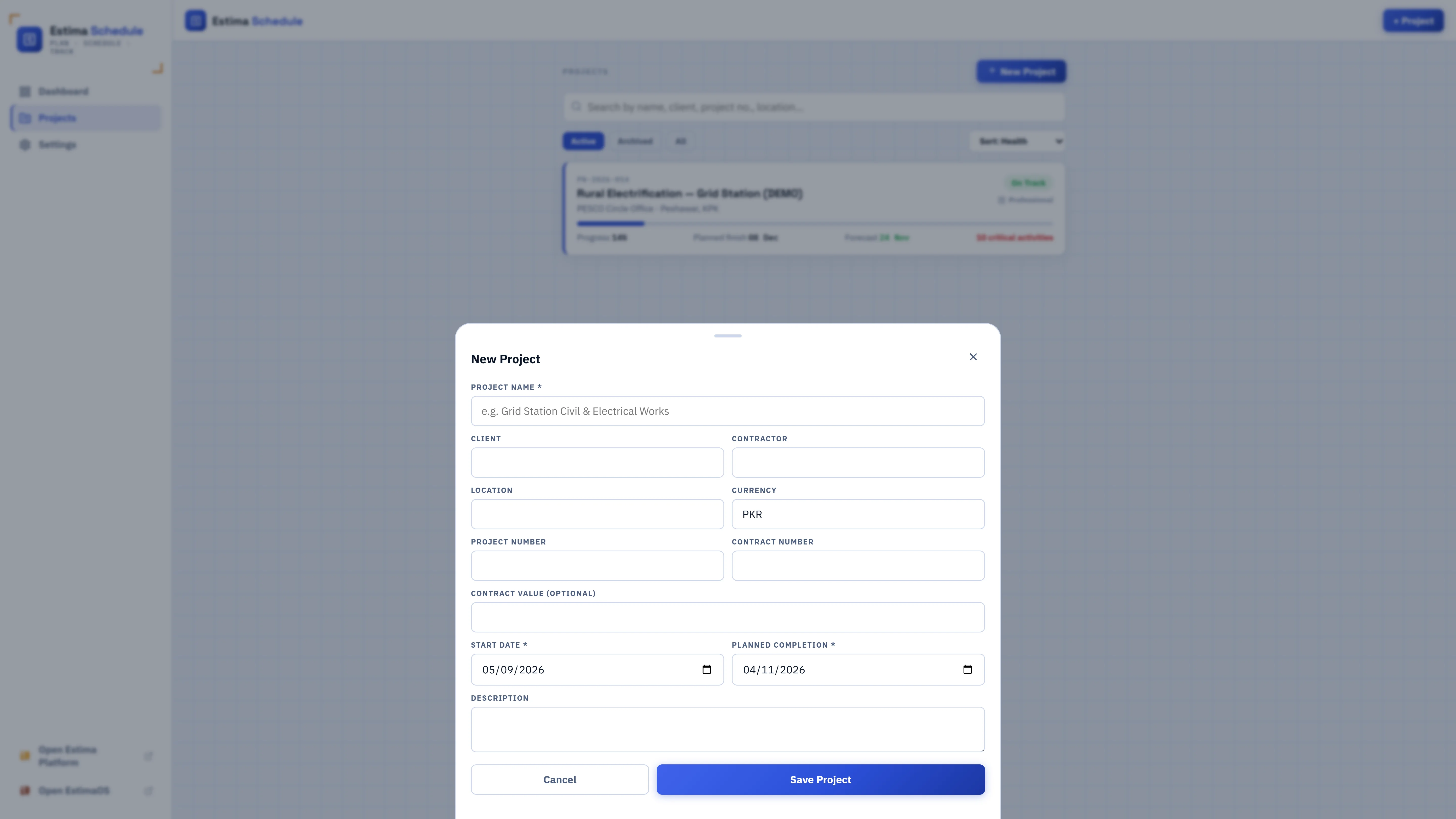
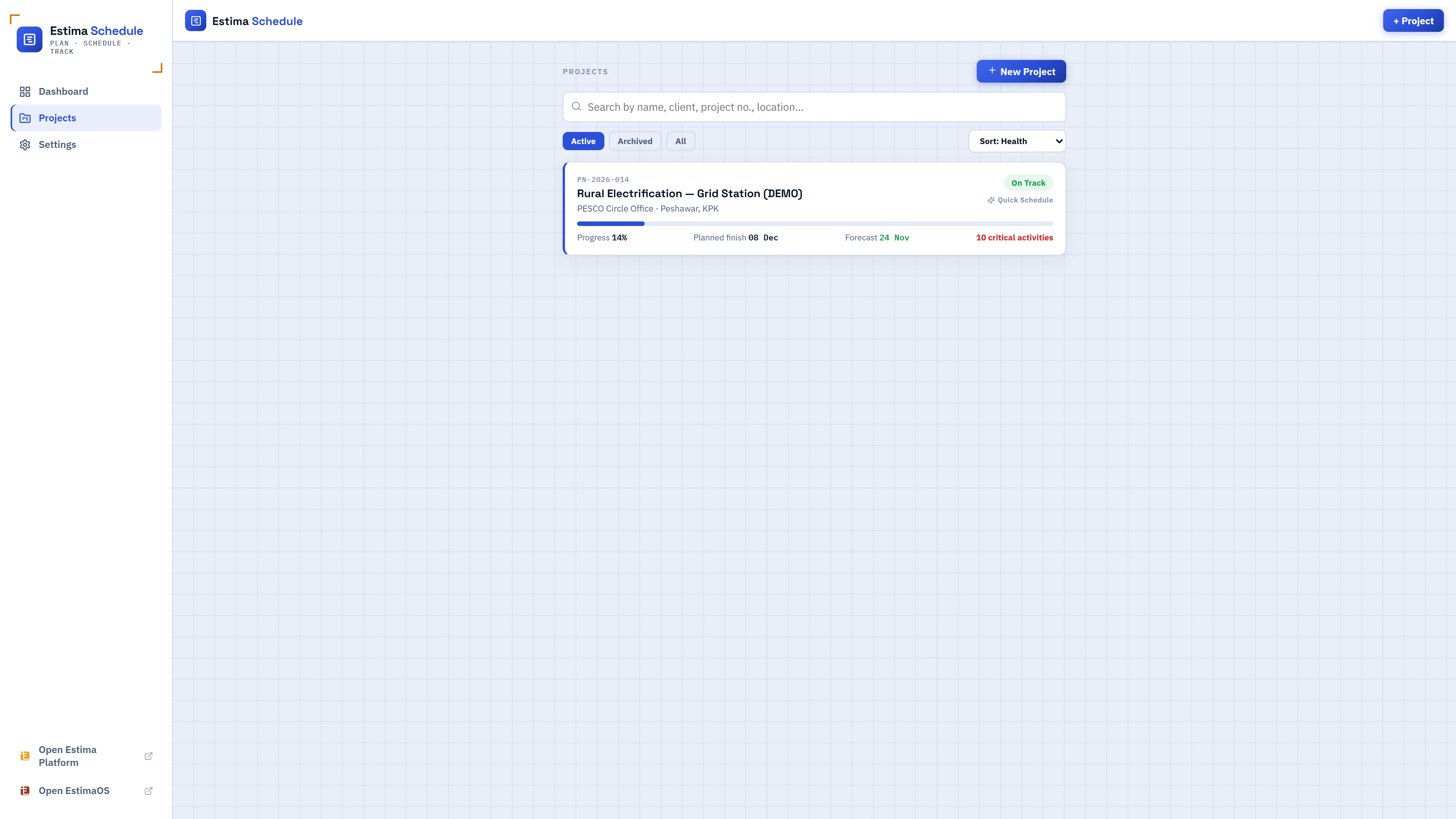
Set the name, client, location, start date, and planned completion date — or import a bill of quantities from your Estima estimate to start with real activities already in place.
Add the work and link it together
List activities with durations, group them under a Work Breakdown Structure if it helps, and connect them with predecessors — any of the four PDM dependency types, with optional lag or lead.
Let the Gantt and critical path build themselves
Estima Schedule runs the Critical Path Method automatically the moment a duration or dependency changes — no manual float calculations, no separate CPM spreadsheet.
Track progress and report on it
Update % complete and actual dates as work happens, log delays and variation orders as they occur, and print a letterhead-branded report whenever a client or head office needs one.
How the scheduling actually works
The same explanations built into the app's own guide, for anyone who wants the detail before diving in.
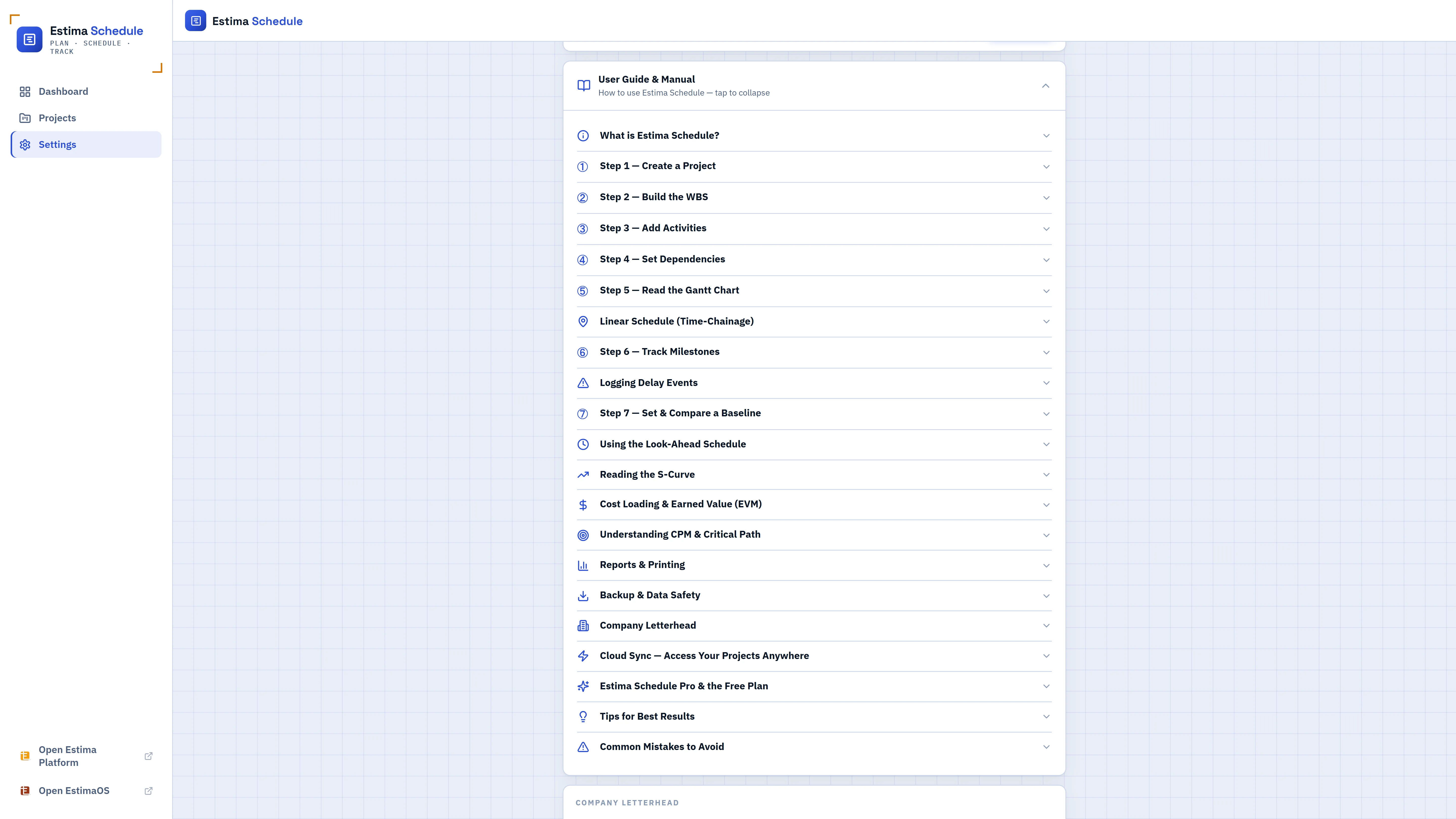
①Understanding the critical path (CPM)
②The four dependency types, and lag vs. lead
③Baselines, and reading the Redline overlay
④Cost loading and earned value management
⑤The look-ahead schedule vs. the full Gantt
⑥Logging delays and variation orders
⑦Cloud sync, backups, and where your data lives
Free for real work. Pro when you outgrow it.
No feature is locked behind Pro except the project count — the free plan is a full, real scheduling tool, not a trial.
- WBS, Activities, all 4 dependency types
- Automatic Gantt & critical path
- Baselines, look-ahead, delay log, variation orders
- Cost loading & earned value management
- Letterhead-branded printed reports
- Everything in Free, no project limit
- No account needed — activate with a license key
- Sign in and Pro follows you across devices
- Estima Suite bundle covers Pro in EstimaOS too
Frequently asked
Is Estima Schedule free?
Does it work offline, and where is my data stored?
What exactly is the "critical path"?
Can I bring a project over from the Estima cost estimator?
How does Estima Schedule Pro work?
Can I track cost and earned value, not just dates?
Is this useful for linear infrastructure — roads, pipelines, transmission lines?
How does Estima Schedule relate to EstimaOS?
Stop guessing what's driving your finish date.
Build the WBS, link the dependencies, and let the critical path calculate itself — free for up to 3 projects, no signup required to try it.