Run the job, not just the estimate.
EstimaOS is where a construction project lives once work actually starts — Bill of Quantities, RA Bills, expenses, materials, labour, subcontractors, retention, and cash flow, with tax rules that adapt to your country automatically.
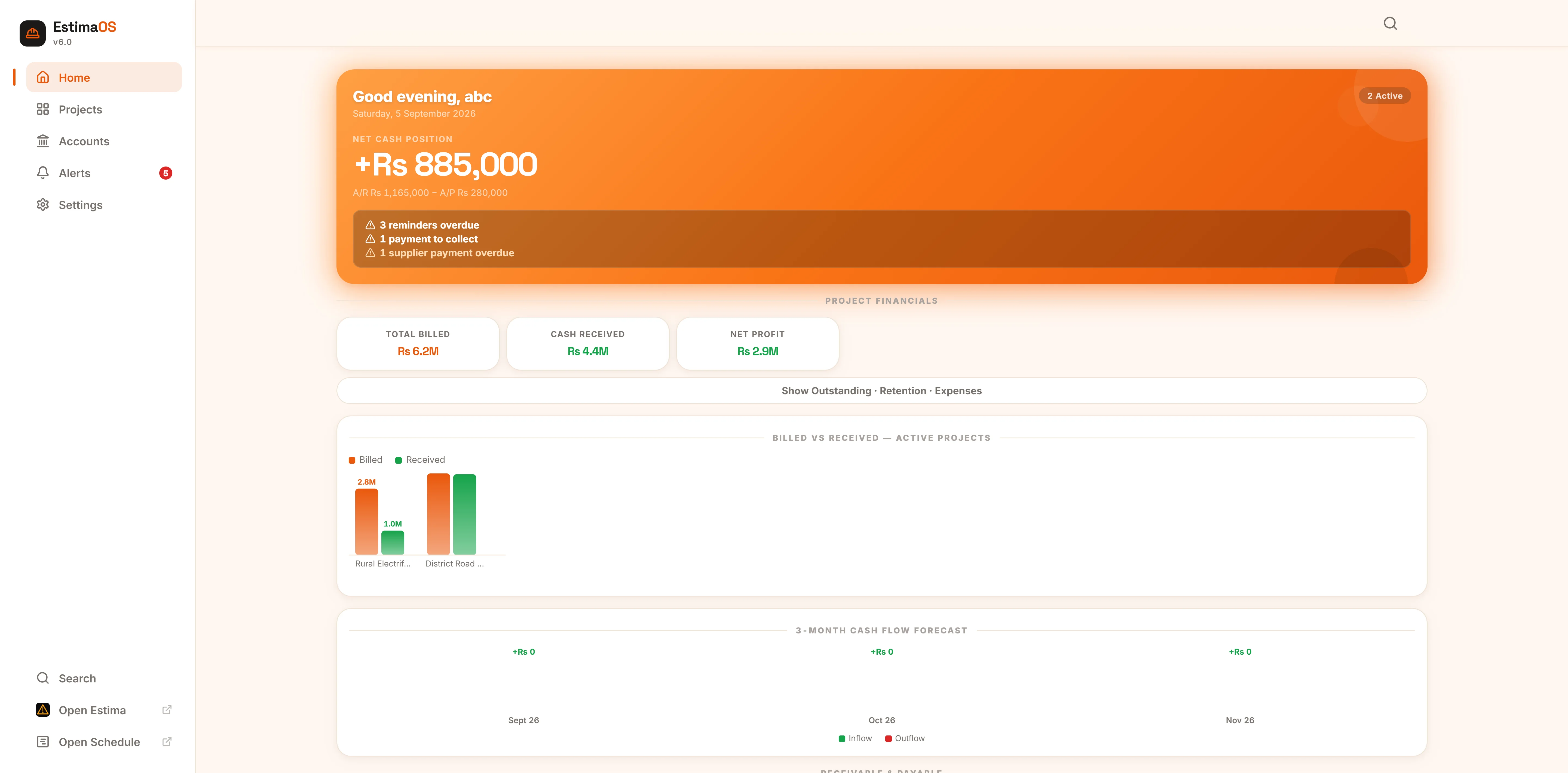
Everything a running project needs, in one place
No more separate registers for the BOQ, the bills, the wage sheet and the receivables ledger. Every screen below is the real app.
Your whole business, on one screen
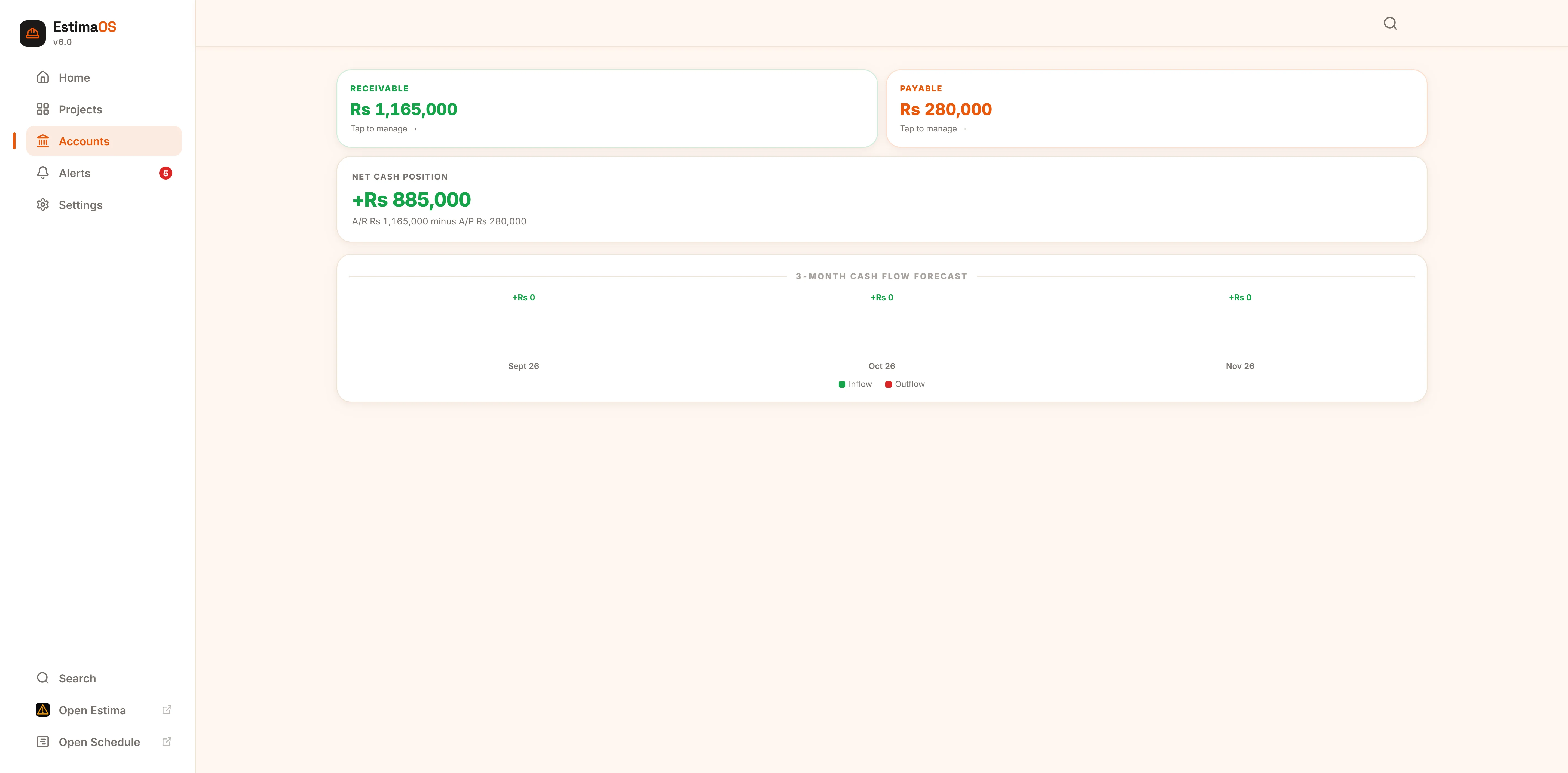
Home shows your net cash position (A/R minus A/P), total billed vs. received, active projects with their health score, bills waiting on payment, overdue items, and upcoming reminders — the moment you open the app.
- Billed vs. received chart across all active projects
- 3-month cash flow forecast built from your due dates
- Overdue reminders, receivables and payables surfaced automatically
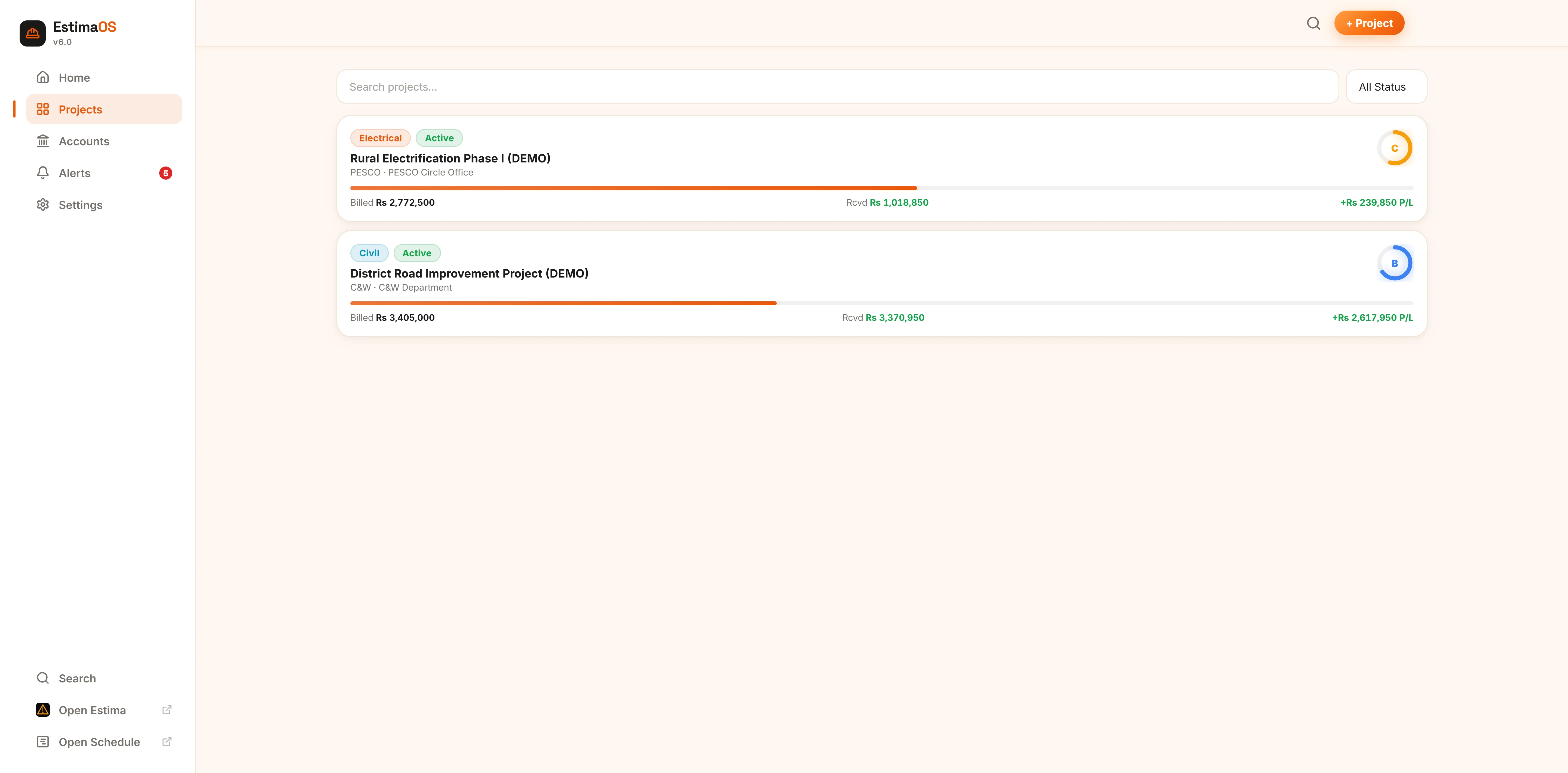
Every job, filterable in a tap
Search or filter by status — active, on hold, tender, completed, cancelled. Each card shows type, department, billing progress and a live profit/loss figure, so you know which jobs need attention before you open them.
- Electrical and Civil project types, each with their own BOQ presets
- Client & authority lists that adapt to your country automatically
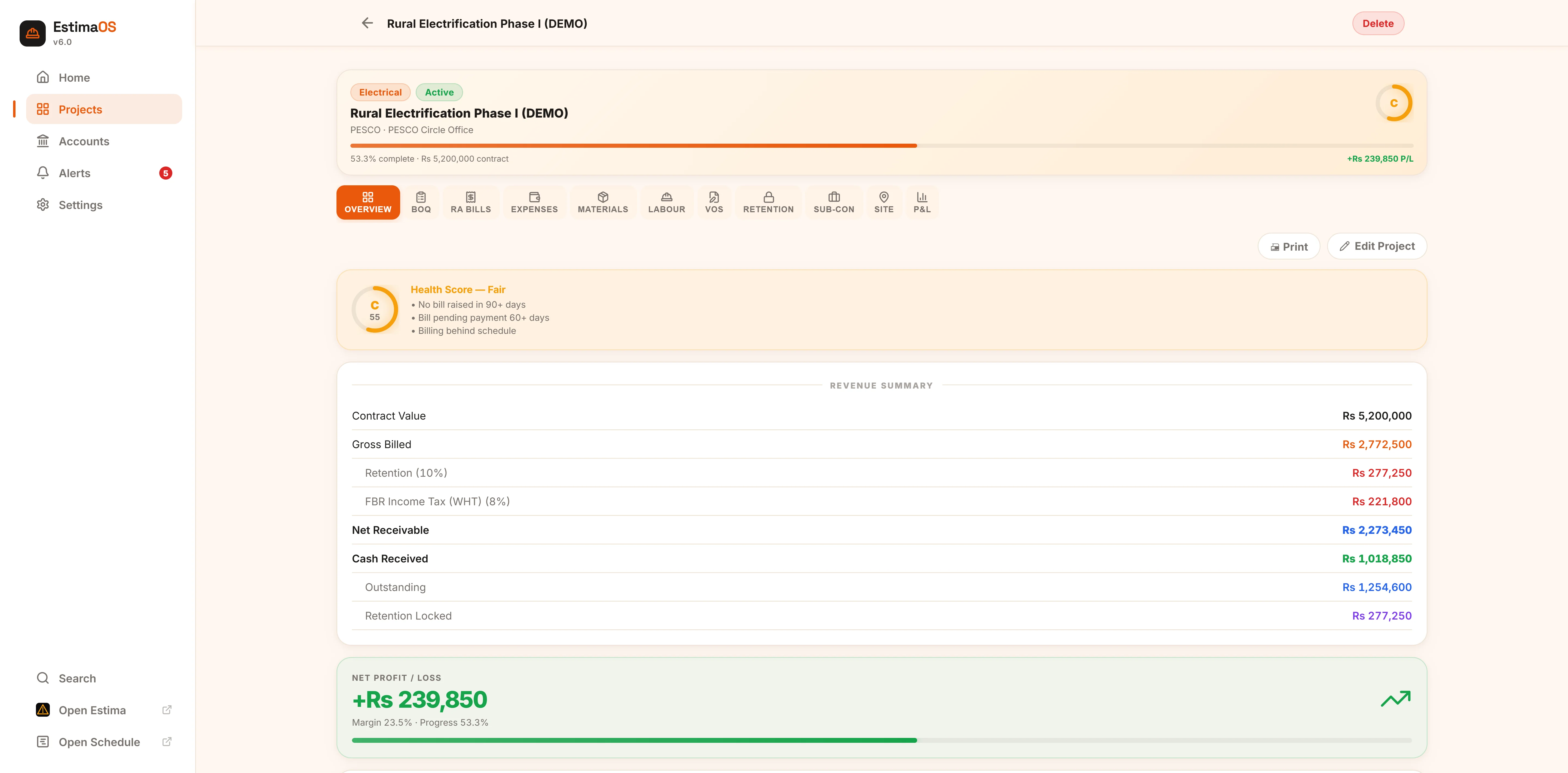
An A–D health score, not just a balance
Every project gets a health grade combining margin, overdue payments, billing stalls and schedule adherence — so a project quietly slipping shows up before it becomes a crisis, not after.
- Full revenue summary — gross billed, retention, tax, net receivable
- Expenses broken down by category with a one-tap print report
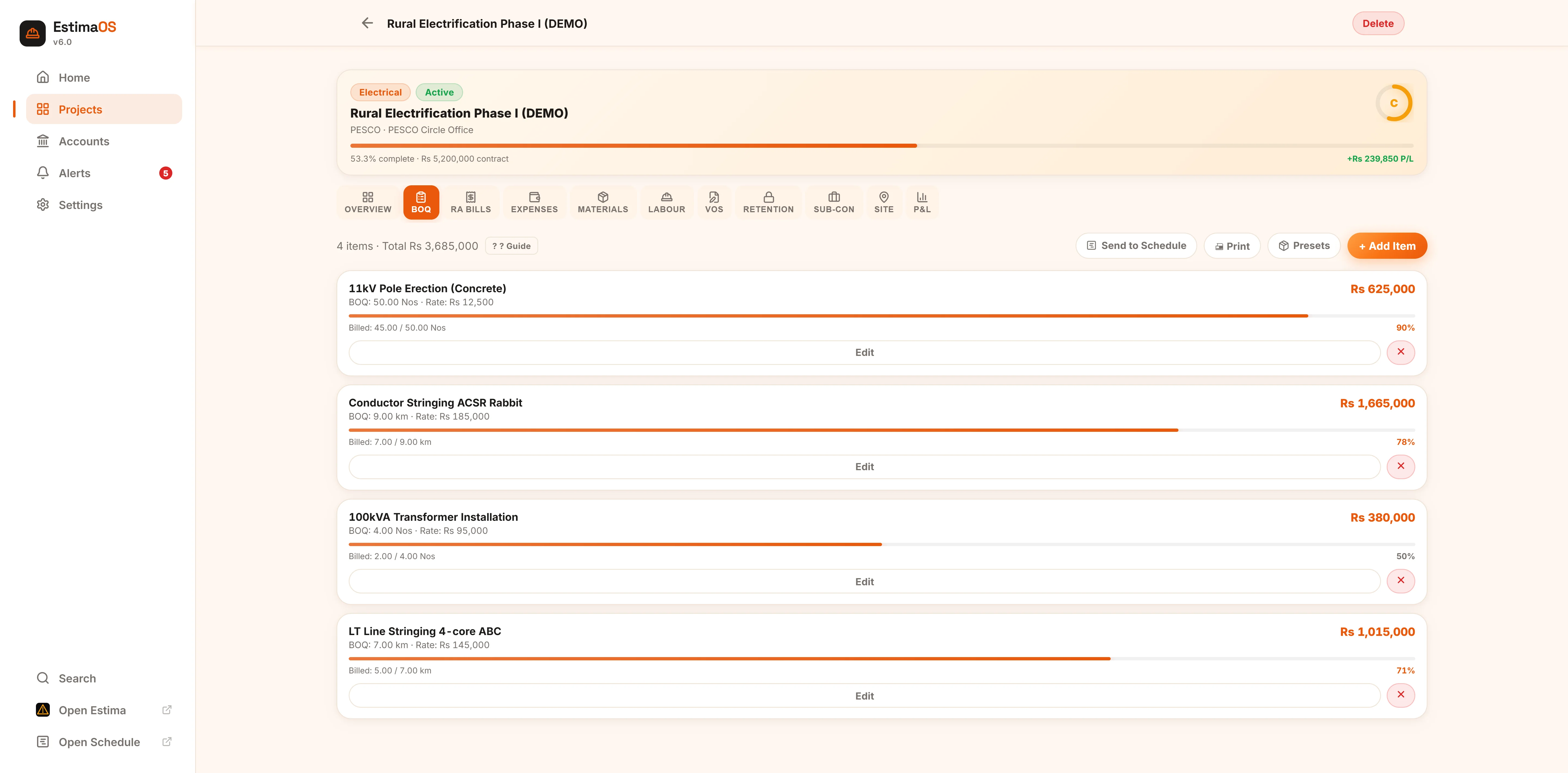
The BOQ drives everything downstream
Add every contracted work item with its unit, quantity and rate, or load a preset for Electrical or Civil work and adjust it to your contract. Every RA Bill you raise afterwards is calculated straight off this list.
- Live billed-vs-BOQ progress bar per line item
- One tap sends the BOQ to Estima Schedule to build a Gantt chart
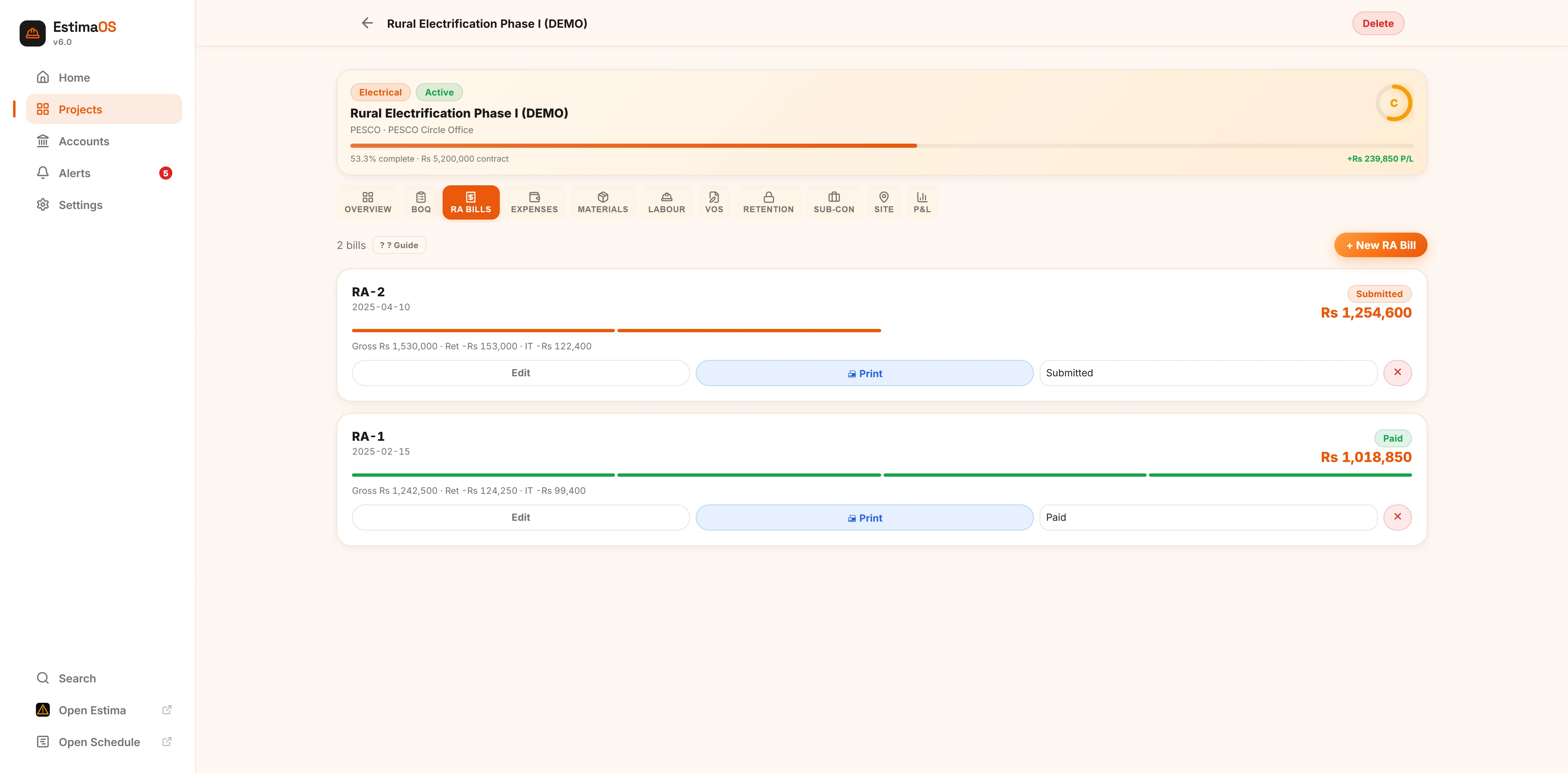
Raise a running-account bill in minutes
Enter the quantity executed against each BOQ item and EstimaOS calculates the gross amount, retention, GST/VAT, and withholding tax automatically — then moves the bill through Draft → Submitted → Approved → Paid, and creates the matching receivable for you.
- Cumulative billed-to-date tracked automatically against BOQ qty
- Print a letterhead-branded RA Bill ready to submit
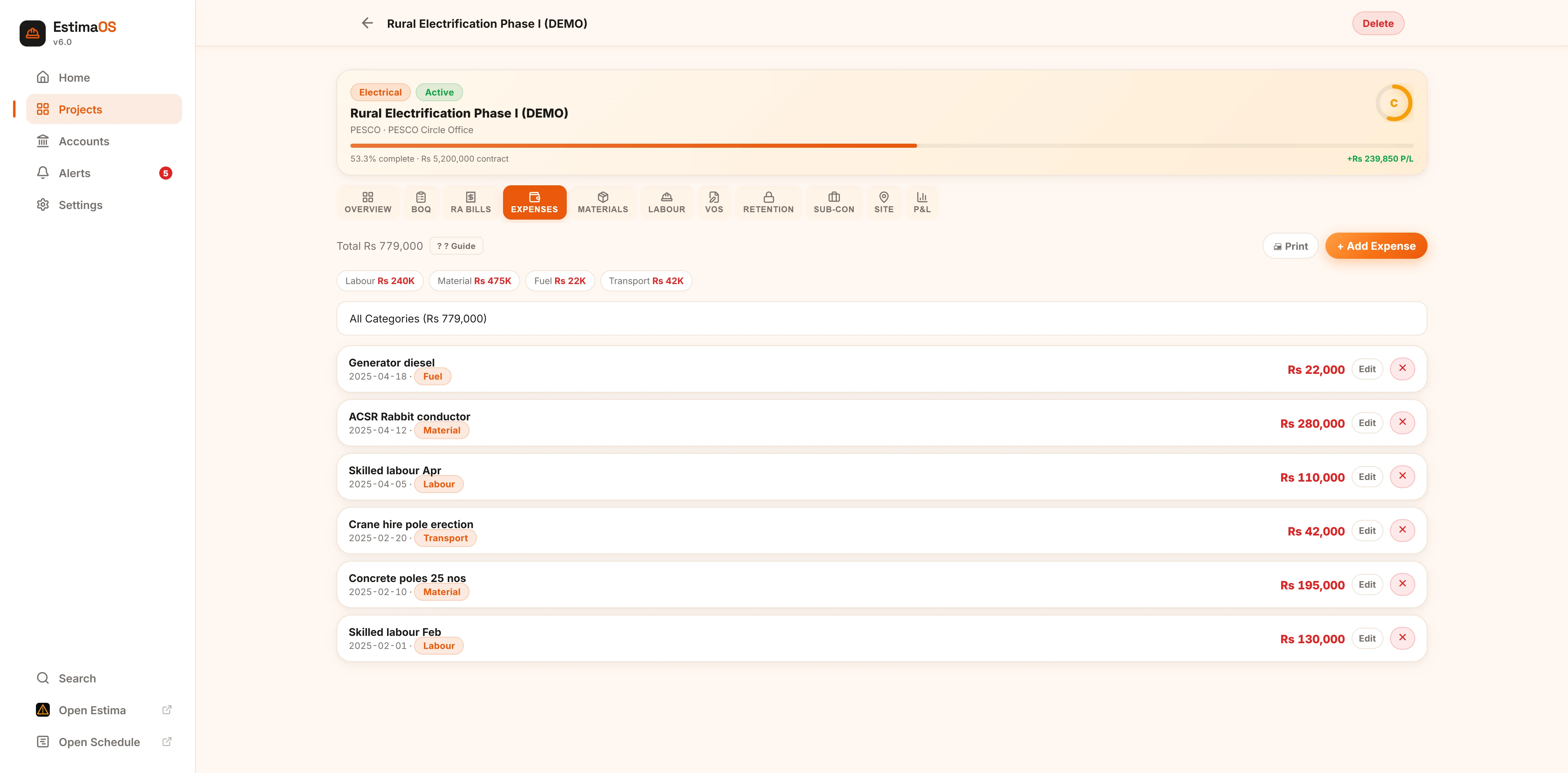
Log the real cost of the job as it happens
Labour, material, equipment, fuel, transport, subcontractor and admin costs, each dated and categorised. Your Profit & Loss is only as good as what's recorded here, so the entry form is built to take five seconds per line.
- Filter and total by category, print an expenses statement
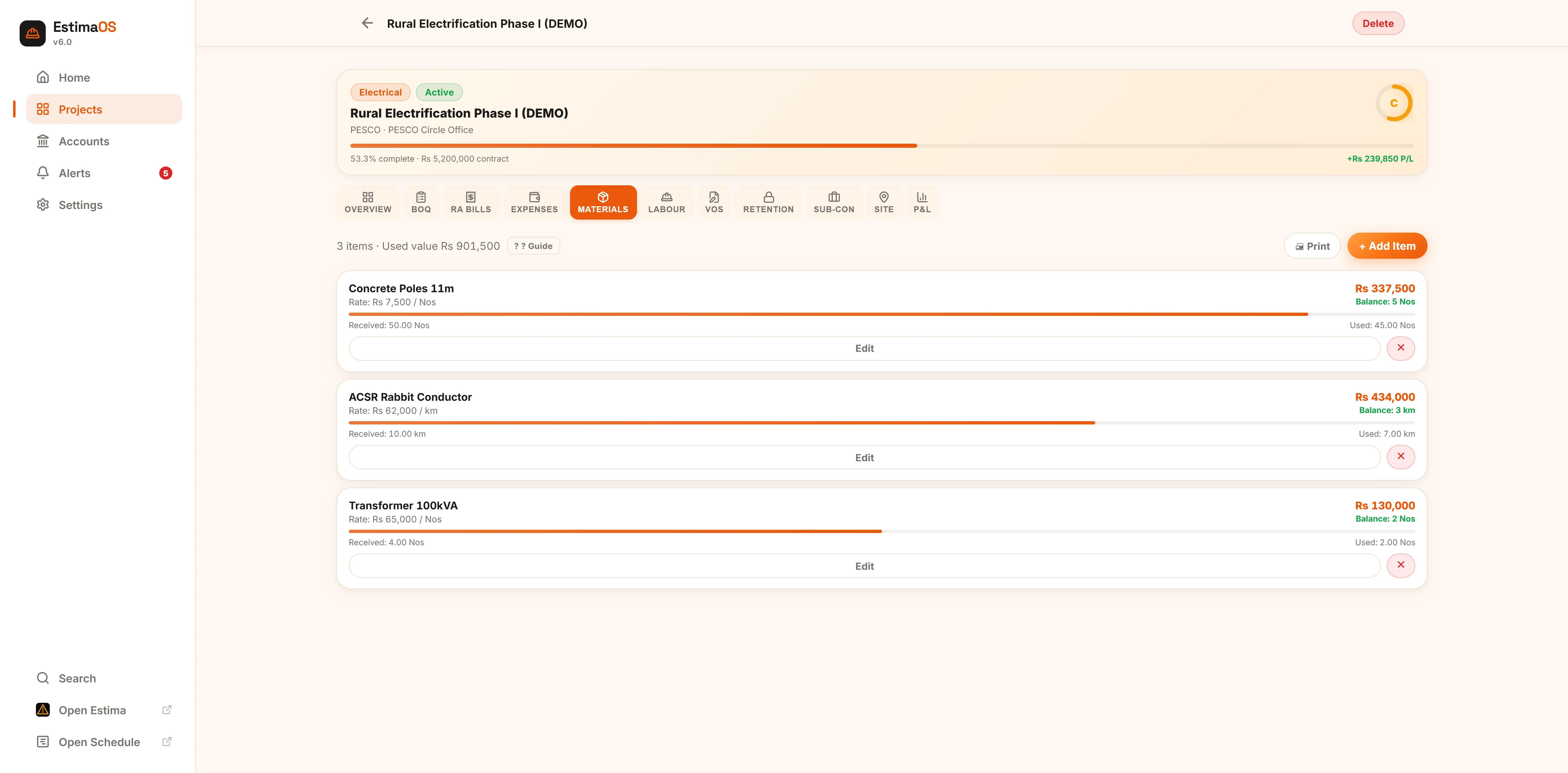
Catch wastage and shortages early
Log every material received on site and how much has been used. EstimaOS calculates stock on hand and its value automatically, so a shortfall shows up as a number, not a surprise on delivery day.
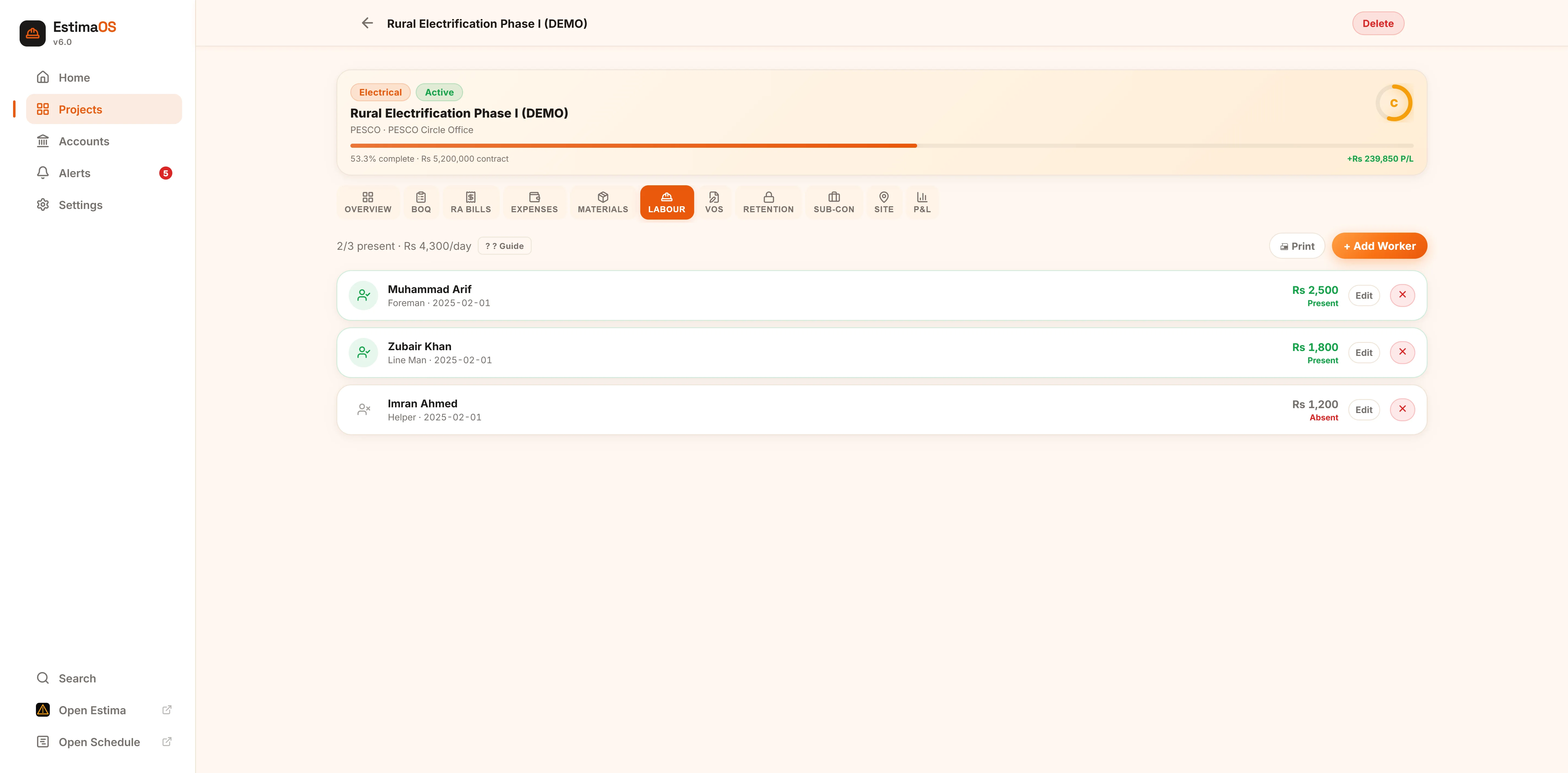
A daily wage register, not a notebook
Mark attendance and daily wage per worker — foreman, line man, mason, helper — and get a printable labour register reconciled against your expense entries.
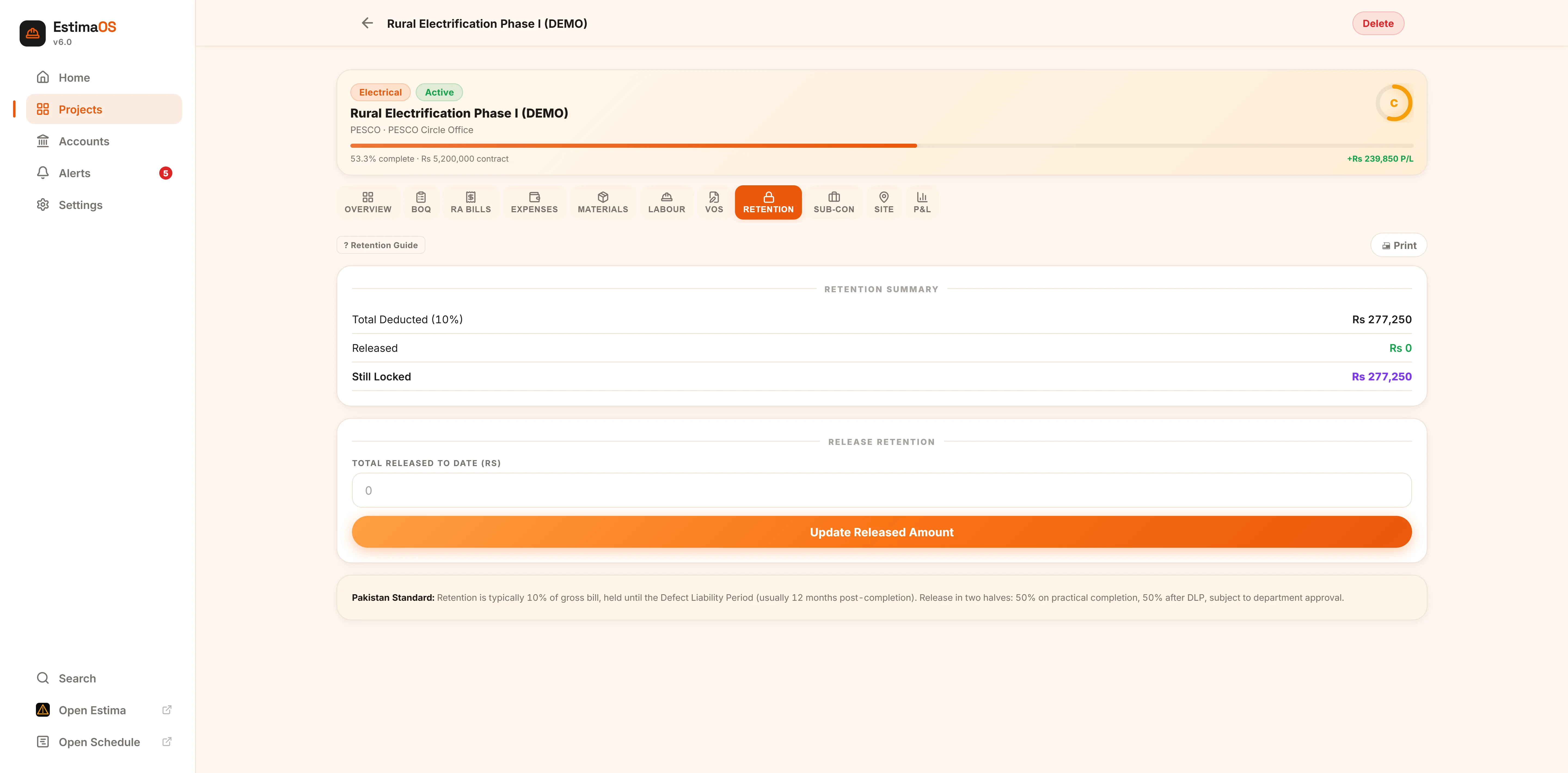
Know exactly what's still locked
Retention withheld from every bill is tracked automatically at your contract's rate. Record what's been released by the client and EstimaOS shows you the balance still locked, with the standard release schedule explained inline.
Receivables and payables, side by side
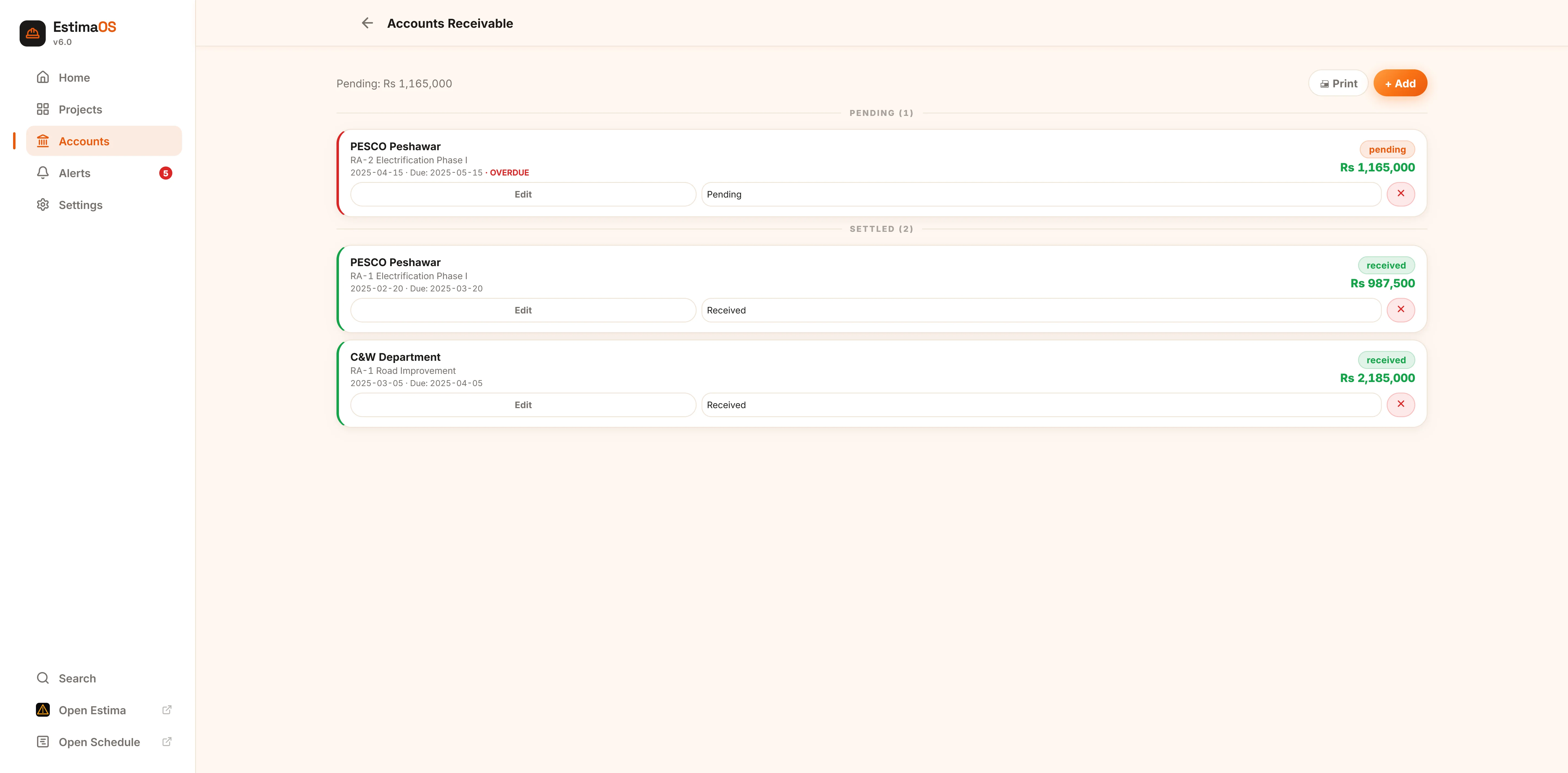
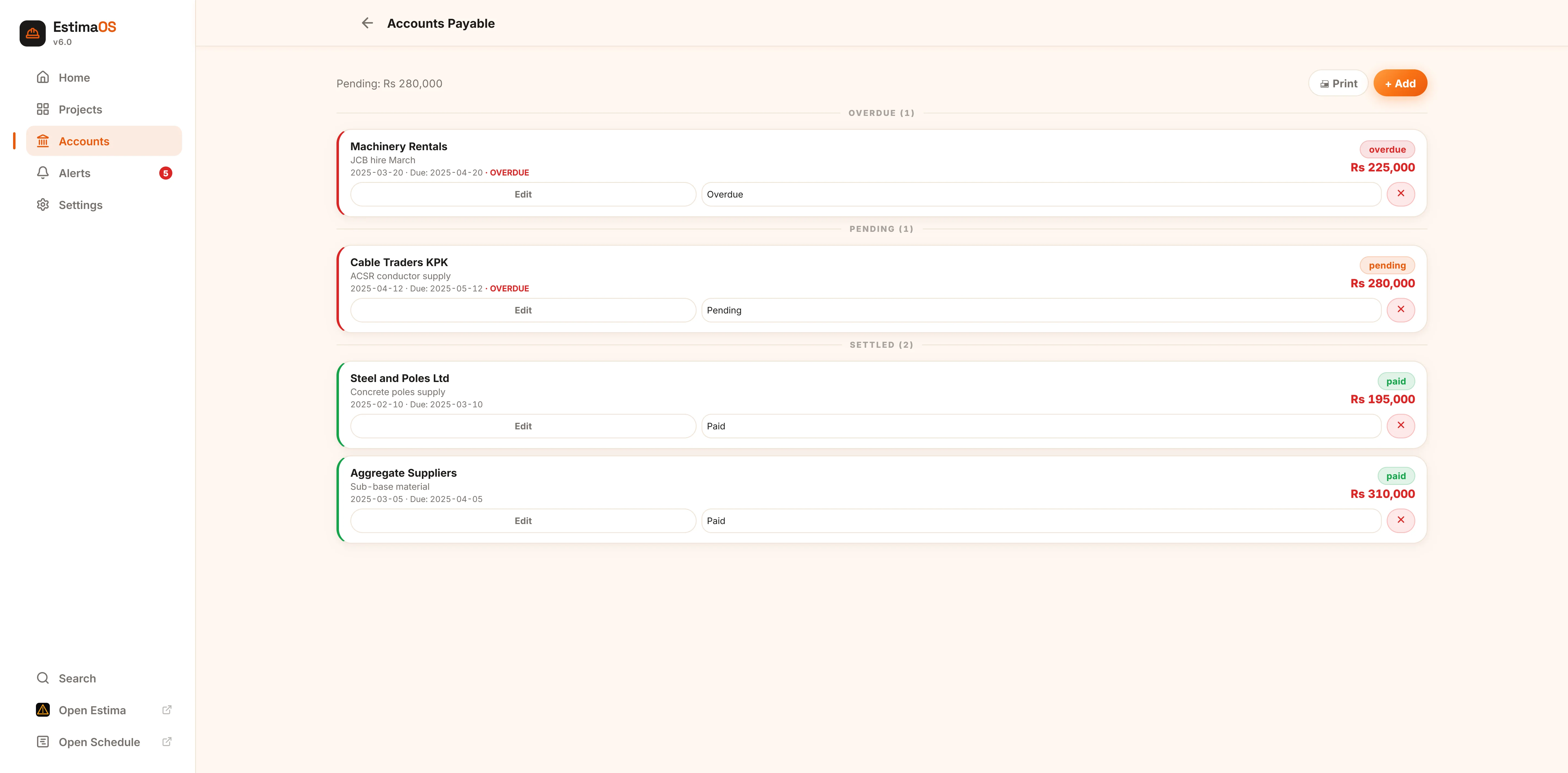
Every RA Bill feeds Accounts Receivable automatically. Track what clients owe you and what you owe suppliers and subcontractors in one place, with overdue items highlighted and a printable statement for either ledger.
- Net cash position calculated as A/R pending minus A/P pending
Nothing important gets forgotten
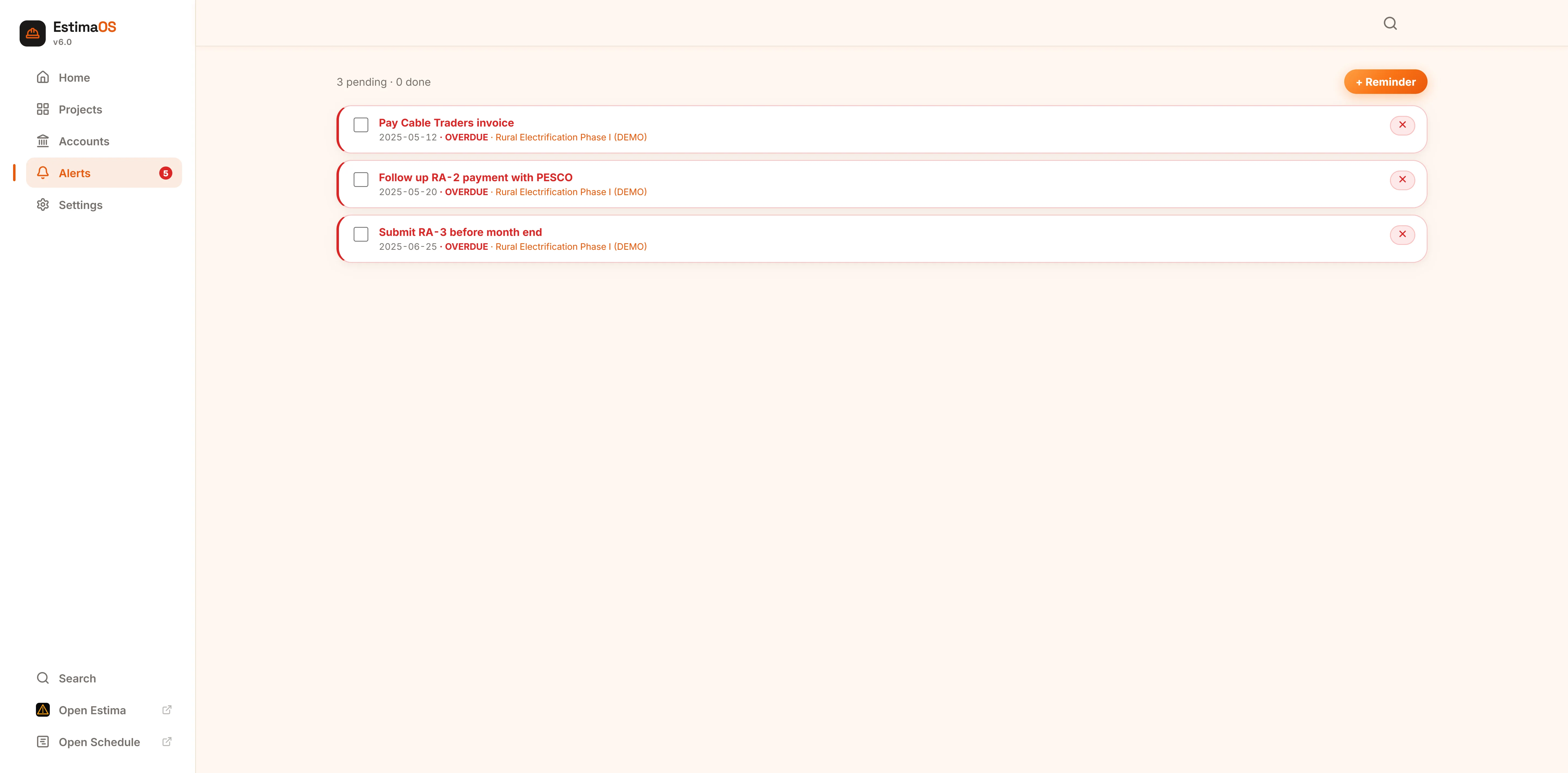
Set reminders for bill deadlines, payment follow-ups and tax dates. Overdue items go straight to the top of Home in red, with a badge on the Alerts tab so you always know how many need attention today.
Your company, your country, your data
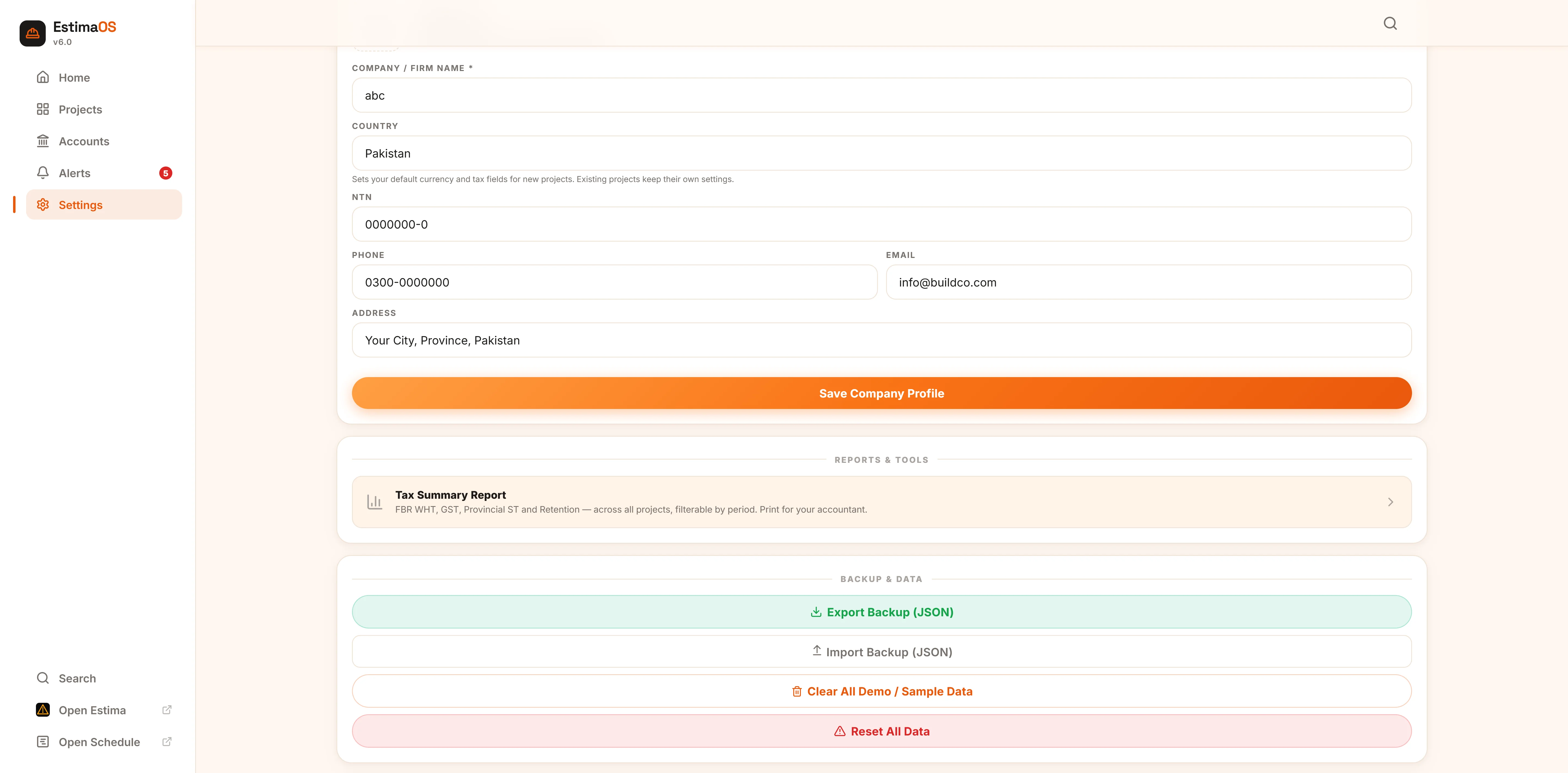
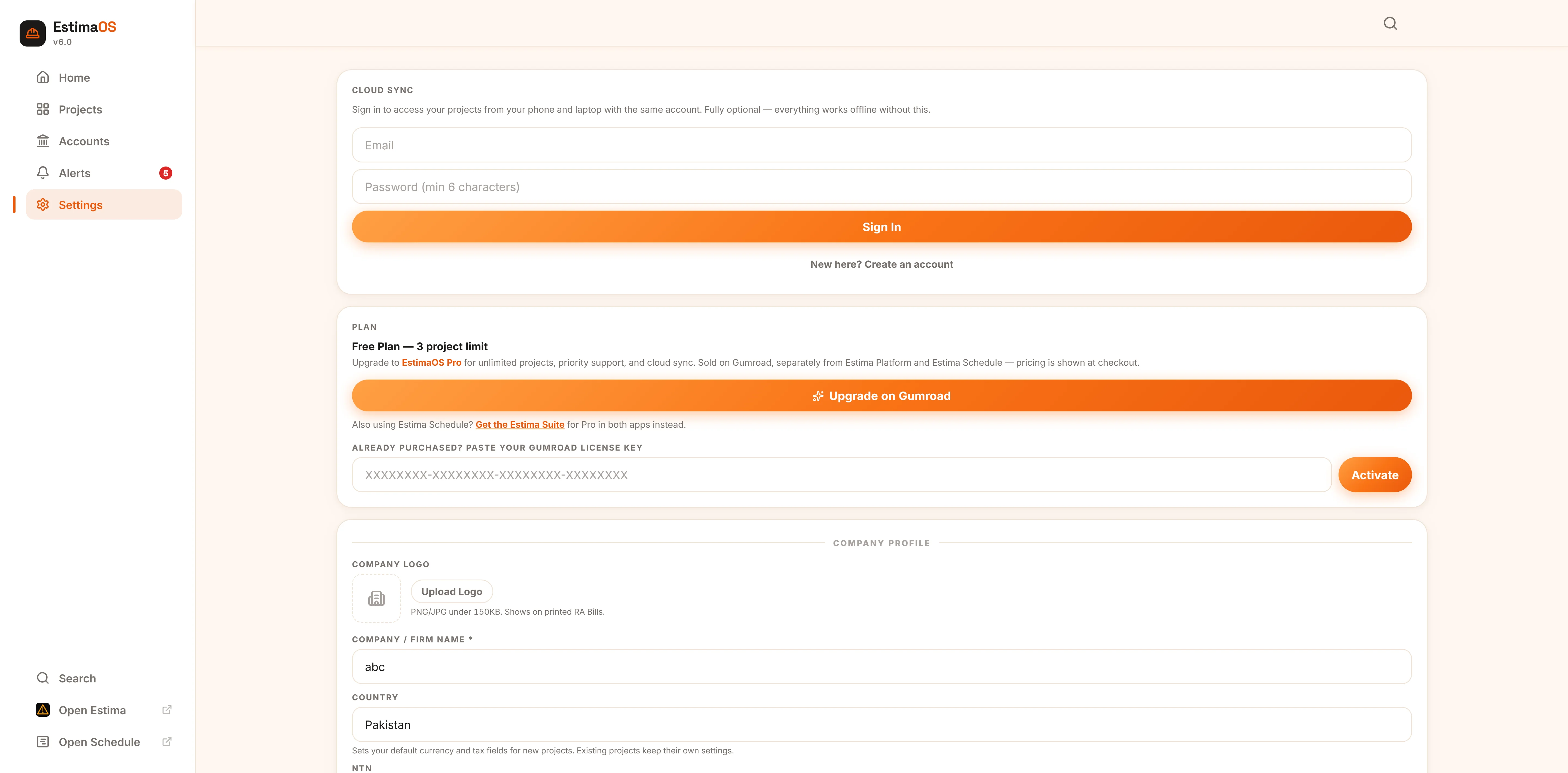
Set your company profile and logo once and it prints on every RA Bill and report automatically. Pick your country to apply the right tax fields and labels, manage your plan, and export a full backup any time.
- Optional Cloud Sync keeps your phone and laptop identical
The parts of the job that usually live in someone's head
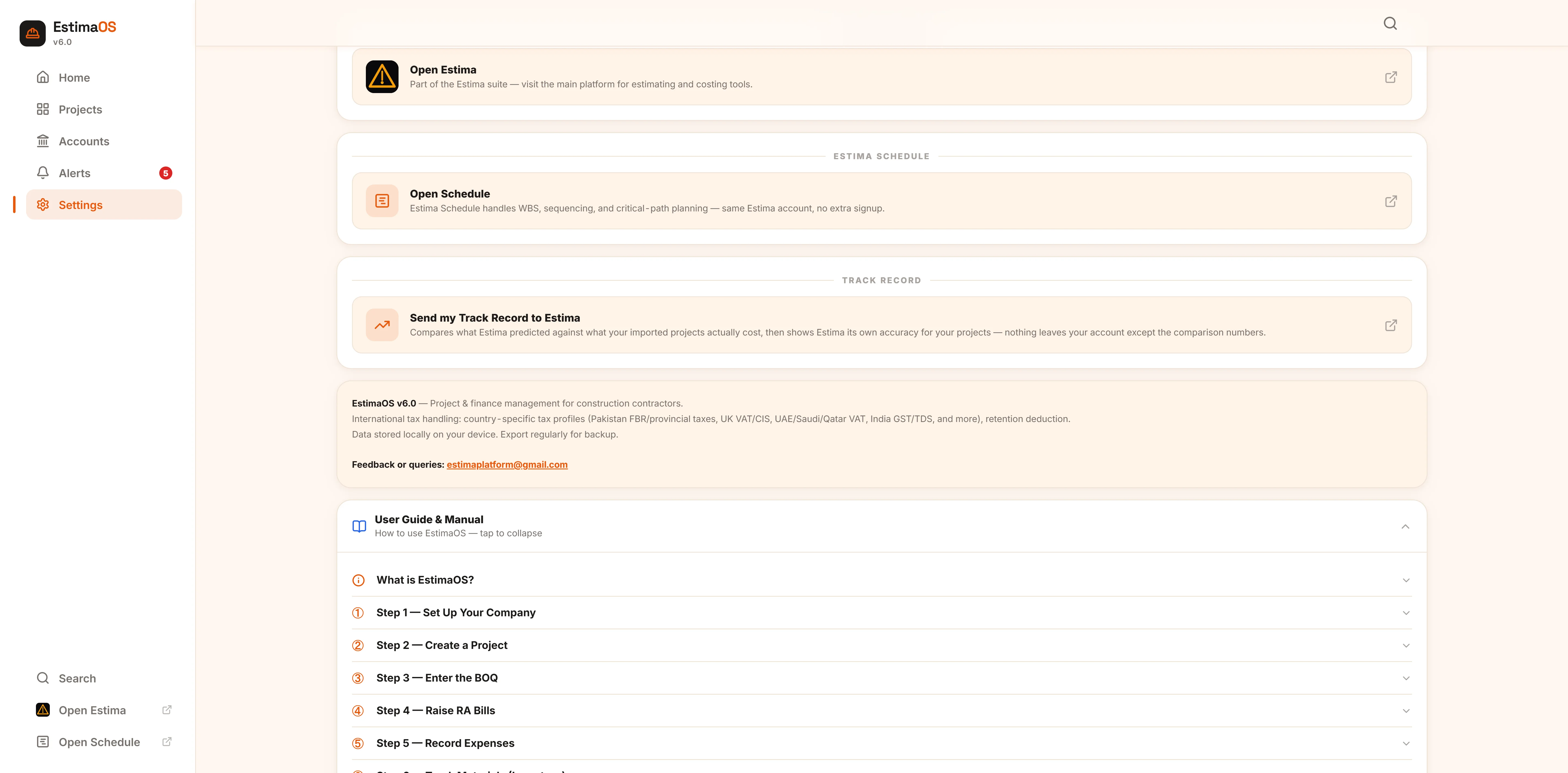
A few more modules that come with every project, whether or not there's a screenshot of them above.
Subcontractors
Track every subcontractor's agreed amount, scope and payments, with a running balance — automatically included in your P&L, so it's never double-counted as an expense.
Variation Orders
Log additional work approved beyond the original BOQ with reference number, amount and approval status, tracked alongside the contract it modifies.
ProProfit & Loss
Real-time net profit calculated on cash actually received, minus every recorded expense and subcontractor payment — with a printable statement per project.
ProTax Summary Report
Withholding, sales tax/VAT, and retention aggregated across every project for a chosen period, grouped correctly even across multiple countries — ready for your accountant.
ProSite diary & photos
A daily checklist, a running notes log, and photo uploads for progress shots, delivery receipts and completed work — attached directly to the project.
Optional cloud sync
Sign in and your data follows you between your phone on site and your laptop in the office. Fully optional — EstimaOS works completely offline without it.
How a project moves through EstimaOS
The same order the app itself walks you through — each step feeds the next.
Set up your company
Firm name, tax ID, phone, email, address and logo — this prints automatically on every RA Bill and report you generate.
Create the project
Pick Electrical or Civil, set the department, client and contract value, and choose the country — EstimaOS applies the right tax fields and default rates immediately.
Enter the Bill of Quantities
Add each work item with unit, quantity and rate, or load a preset and adjust it to the signed contract. This is the foundation every bill is calculated from.
Raise RA Bills as work is executed
Enter the quantity completed against each BOQ line; gross amount, retention, tax and net payable calculate themselves, and a matching receivable is created automatically.
Record expenses as they happen
Labour, material, equipment, fuel, transport, subcontractor and admin costs — weekly at minimum, daily if you can manage it.
Track materials on site
Log what's received and what's used; stock on hand and its value are calculated for you, so shortages surface early.
Manage labour attendance
Daily attendance and wage per worker, reconciled against your expense entries.
Engage subcontractors
Agreed amount, scope, and running payments per subcontractor — fed straight into the project's P&L.
Handle variations and retention
Log approved variation orders beyond the original BOQ, and record retention released by the client as it happens.
Watch accounts and cash flow
Receivables and payables in one place, with a net cash position and a forward-looking cash flow forecast on Home.
Set reminders for what matters
Submission deadlines, payment follow-ups, tax dates — overdue items surface in red the moment you open the app.
Everything else, in detail
The same reference that ships inside the app, in case you'd rather read it here first.
①Reading the P&L report
②Tax Summary report
③Site diary, checklist & photos
④Printing reports
⑤Backup & data safety
⑥Cloud sync — access your projects anywhere
⑦EstimaOS Pro & the free plan
⑧Tips for best results
⑨Common mistakes to avoid
Start free. Upgrade only if you outgrow it.
Start instantly with zero upfront commitment. EstimaOS Pro operates as a flexible monthly subscription linked directly to your login via Gumroad.
- BOQ, RA Bills, Expenses, Materials, Labour
- Subcontractors, Accounts & Reminders
- Retention tracking & site diary
- Letterhead-branded printing
- Works fully offline
- Unlimited projects
- Variation Orders
- Full Profit & Loss report
- Multi-project Tax Summary report
- One key also unlocks Estima Schedule (Suite)
Frequently asked
Is EstimaOS free to use?
Does EstimaOS work offline?
Which countries does EstimaOS support?
How is EstimaOS different from the Estima estimator?
Is my project data private?
Does EstimaOS connect to Estima Schedule?
Your next project doesn't need a spreadsheet.
Three projects free, no signup, no card. Open EstimaOS and start with the BOQ.
Open EstimaOS